


Product & Platform
Microsoft Teams Compliance Recording & Archiving: Key Considerations for Buyers
Choosing a Microsoft Teams compliance recording solution? Learn the key features, compliance requirements, and questions buyers should consider.


Mid-Market
Argus Archive records the Microsoft Teams calls your business depends on, across every team and site. It helps you find what was said and see what customers call about. Add people and teams as you grow, at one price per user.
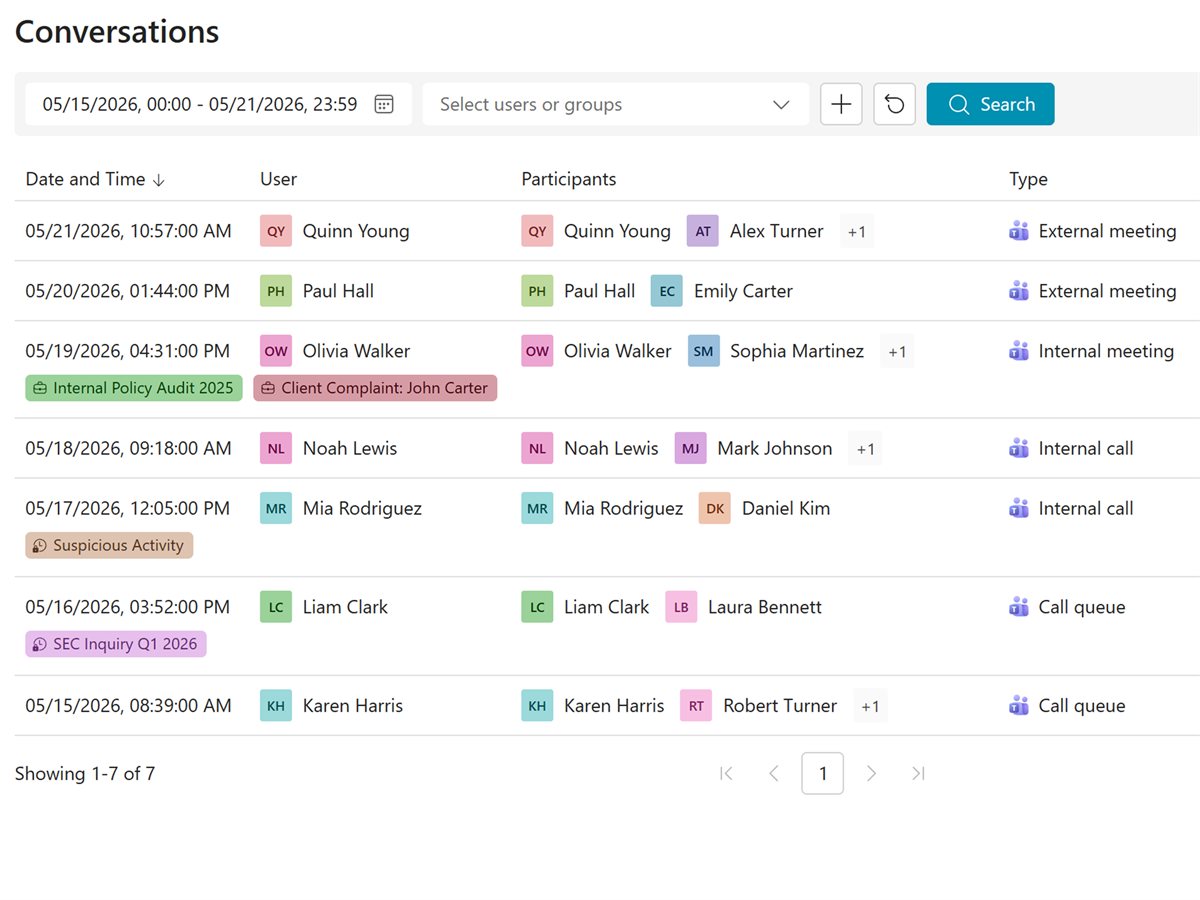
Nothing to install, no servers to run.
Recording follows the users and groups you choose.
A price per user with usage included, and a warning before you go over.
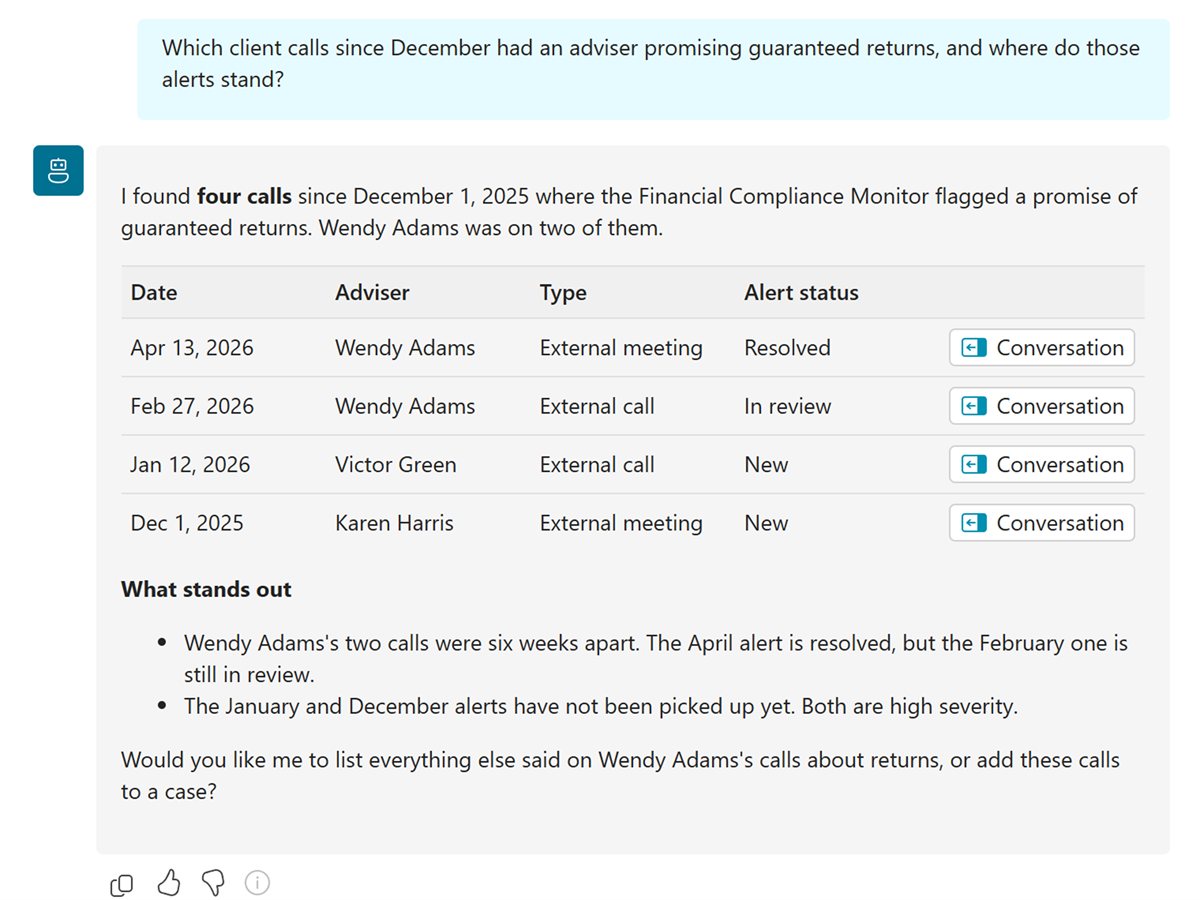
Answers, trends and summaries from your recorded calls, for the managers who run your teams.
Ask Argus AI a question, like why customers called about late deliveries, and get the answer with a link to each call.
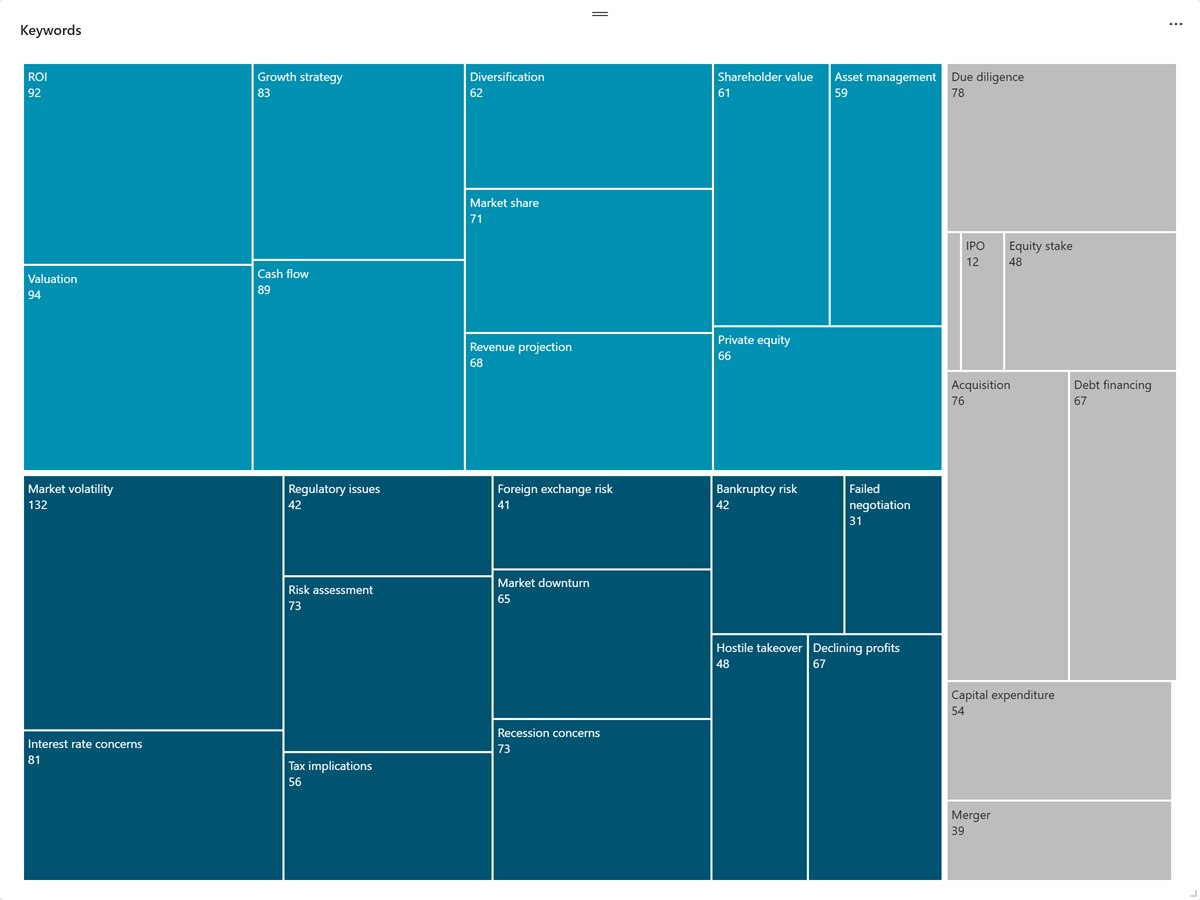
See which topics come up most, and which are growing.
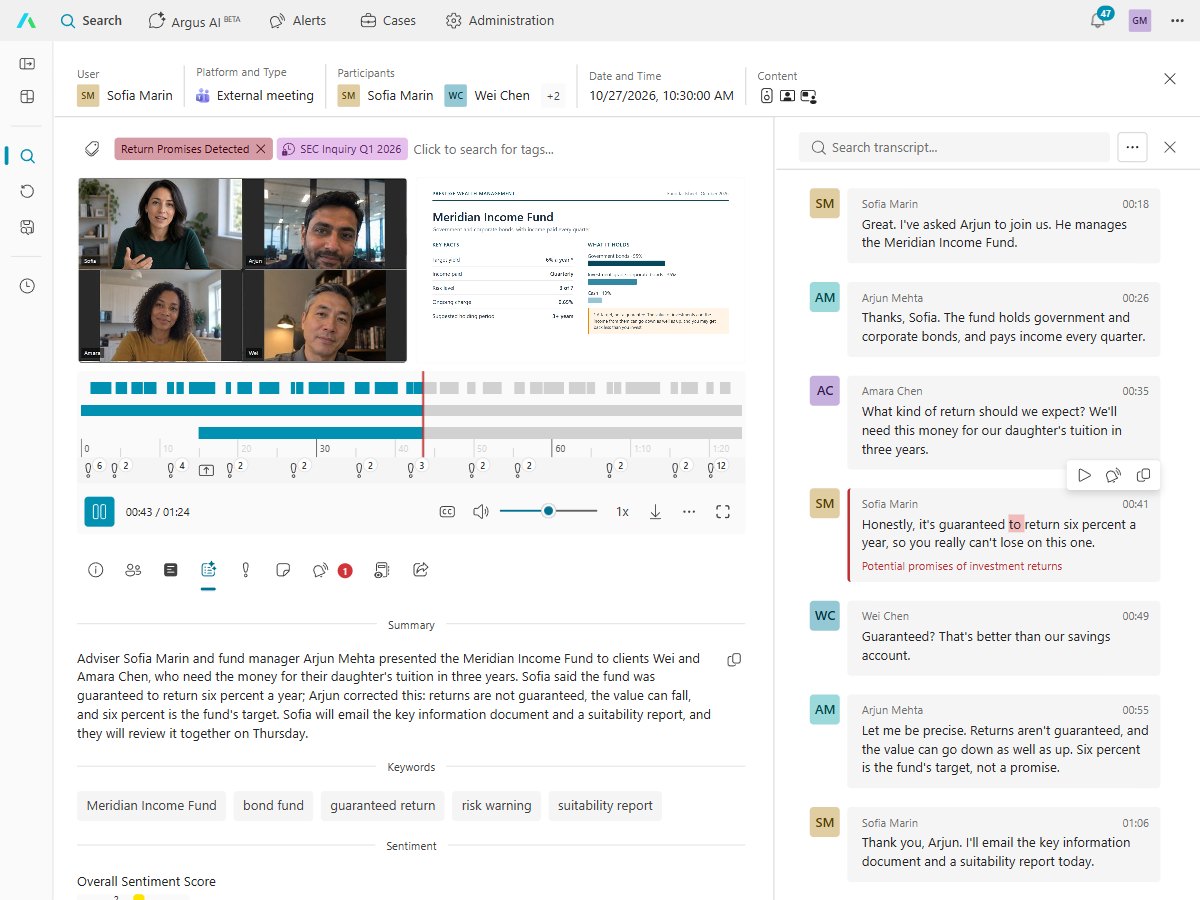
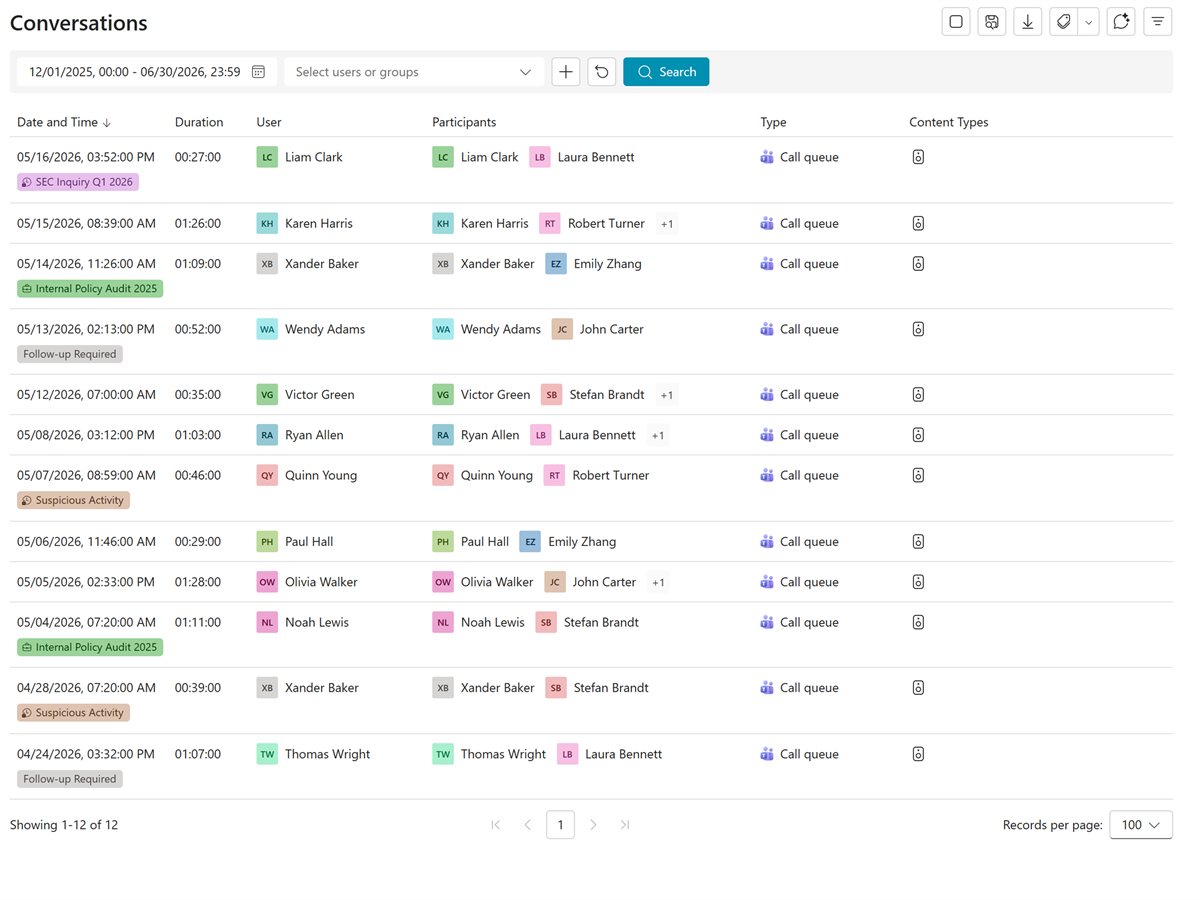
Find the call, jump to the moment, and read the AI summary.
Calls to your call queues are recorded when a recorded agent answers, and you can search them on their own.
Roll out at your own pace, one group at a time.
Choose a group, record it, and check every call lands in the archive.
Add teams and sites as you're ready. Recording follows each group.
Add your call queues for sales, support and reception.
Add Argus AI for answers, trends and summaries.
What your data protection lead and IT will ask first.
Records are processed and stored on Microsoft Azure in the European Union, with more regions to follow.
Strict data segregation: each customer has its own database and storage, never shared with another customer, and recordings are encrypted with its own key.
Recordings and transcripts are encrypted in transit and at rest.
Entra ID, MFA and Conditional Access protect every login.
The audit log shows who played, viewed or changed each call.
Argus AI reads what was said, never emotions or voices.
There are no servers to install. Your IT admin signs in with their Microsoft work account, and Argus guides them through turning on Microsoft Teams compliance recording. You can start with one team.
Microsoft Teams phone calls, calls to call queues, internal calls and meetings, for the people you choose. Video and screen share are an add-on.
Add them to a group you record, and recording follows them.
Yes. You set how long each kind of call is kept, and it is deleted automatically when its time ends.
Only the people you allow. Roles decide who sees which calls, and an audit log shows who viewed or changed each one.
Microsoft 365 Business Standard and Business Premium both work, along with the other licenses Microsoft lists as eligible.
Argus Archive is priced per user, per month, with usage included, and you're warned before you go over.
What to know before you choose a recorder for a growing team.
Product & Platform
Choosing a Microsoft Teams compliance recording solution? Learn the key features, compliance requirements, and questions buyers should consider.
Product & Platform
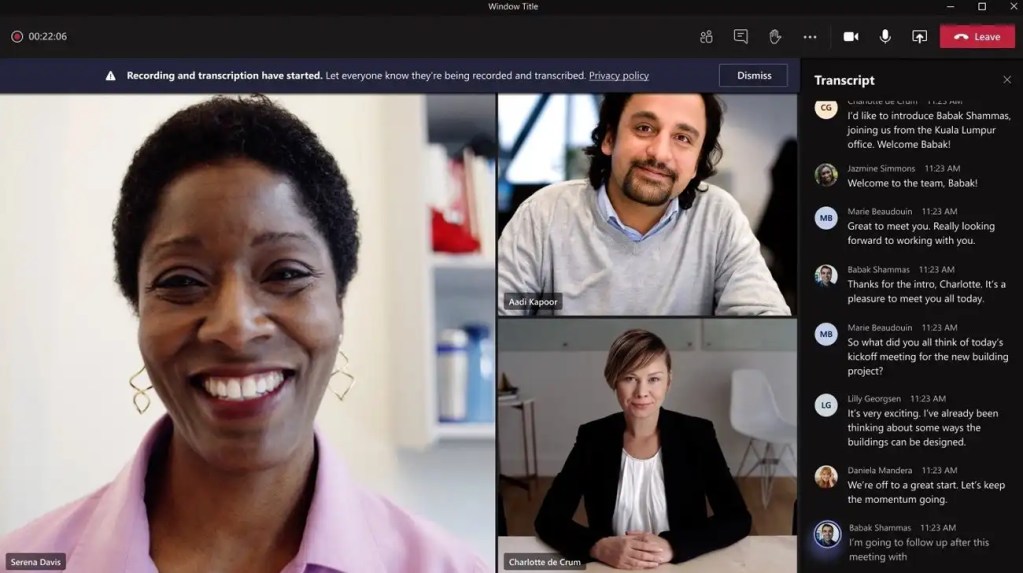
Microsoft Teams native recording works for collaboration. Compliance recording delivers policy-based capture, retention, and regulatory oversight.

Product & Platform
Microsoft Teams now automatically records Call Queue calls. See what MC1401299 changes, where recordings are stored and the key limitations.
Built by the people who created market-leading compliance recording and archiving products. Talk to us to see recording, search and Argus AI for your business.