


Product & Platform
Microsoft Teams Compliance Recording & Archiving: Key Considerations for Buyers
Choosing a Microsoft Teams compliance recording solution? Learn the key features, compliance requirements, and questions buyers should consider.


Corporates
Argus Archive records the Microsoft Teams calls your business depends on, keeps them in one archive the business controls, and finds the one you need.
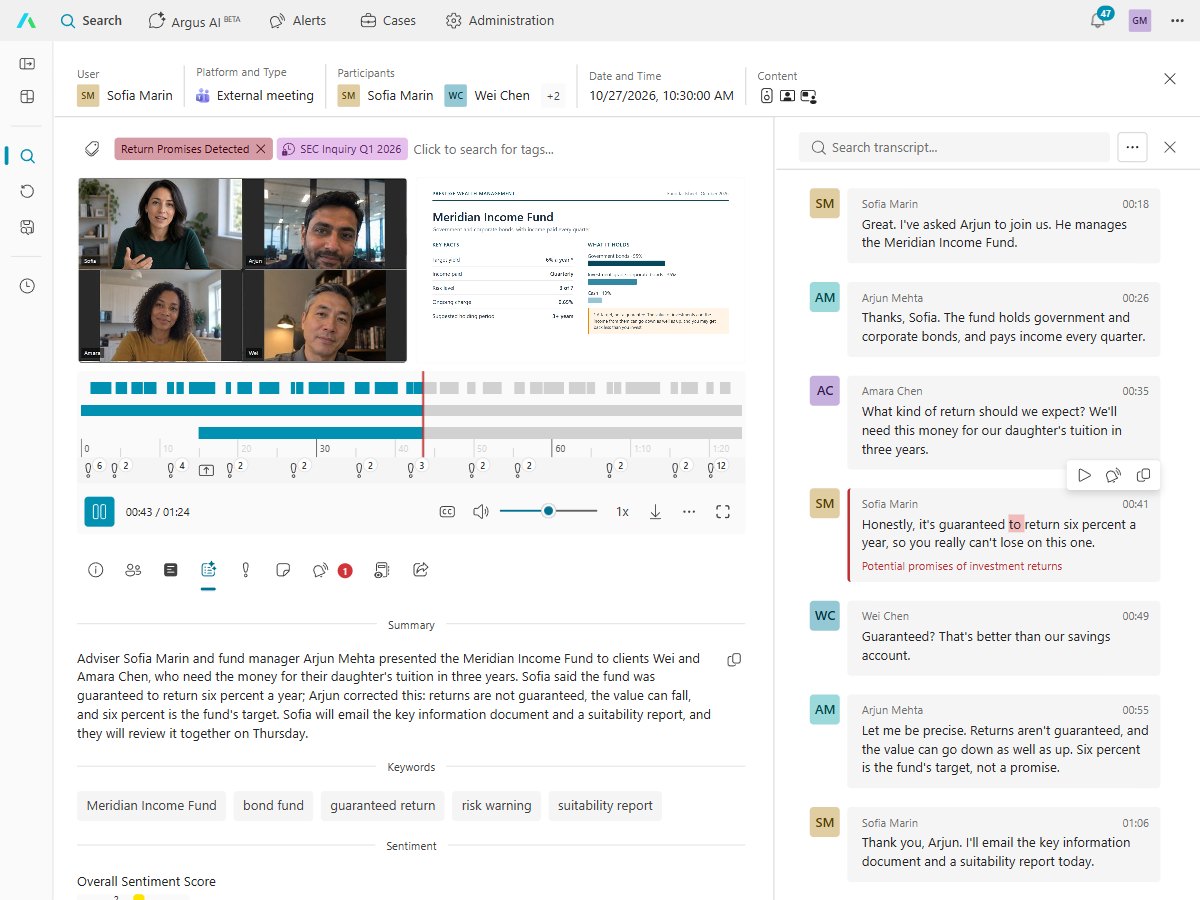
Agreements, approvals and disputes happen on Microsoft Teams calls as much as in email. A recording of a person is personal data under GDPR, so the business needs to know where each recording is, who can hear it, and when it is deleted.
Proof for legal, control for your data protection officer, and less to run for IT.
Find what was said on a call and play it from that moment. Legal hold stops deletion while a dispute is open.
Record only the people who need it, keep each call only as long as its rule says, and log every playback.
Every call from the people you choose, kept in one archive the business controls, not in someone's OneDrive.
Ask Argus AI what was agreed with a supplier, and get the answer with a link to each call behind it.
Sign in with your Microsoft work account, choose who is recorded, and Argus guides you through the rest.
Read the transcript and AI summary instead of listening back, so legal and managers get through more calls in less time.
Microsoft Teams phone calls, calls to call queues, internal calls and meetings, including meetings other companies host. Video and screen share are an add-on.
They're recorded for the people you choose, and the recording is kept in your archive too.
No. People can still record meetings in Microsoft Teams as they do today. Argus Archive records the people you choose by itself, in one archive the business controls.
They stay. Recordings are kept in Argus Archive, not in anyone's OneDrive, so they follow your retention rules whatever happens to the person's account.
Only the people you allow. Roles decide who sees which calls, and an audit log shows who viewed or changed each one.
Each recorded user needs a license Microsoft lists as eligible for compliance recording.
Argus Archive is priced per user, per month, with usage included, and you're warned before you go over.
What to know before you record and archive Microsoft Teams calls.
Product & Platform
Choosing a Microsoft Teams compliance recording solution? Learn the key features, compliance requirements, and questions buyers should consider.

Compliance & Governance
Learn how GDPR affects telephone call recording in EU countries — lawful bases, retention rules, individual rights, and how Argus Archive helps ensure compliance.

Product & Platform
Learn how to automate Microsoft Teams policy configuration with PowerShell, including creating, updating, and assigning policies at scale.
Built by the people who created market-leading compliance recording and archiving products. Talk to us to see recording, search and Argus AI for your business.