
Integrations

AI-native Microsoft Teams recording, archiving and conversation intelligence

Capture, archive and analyze Microsoft Teams communications in real time and after the call, with AI-powered conversation intelligence, automated workflows and intelligent search.

Get a demo See pricing

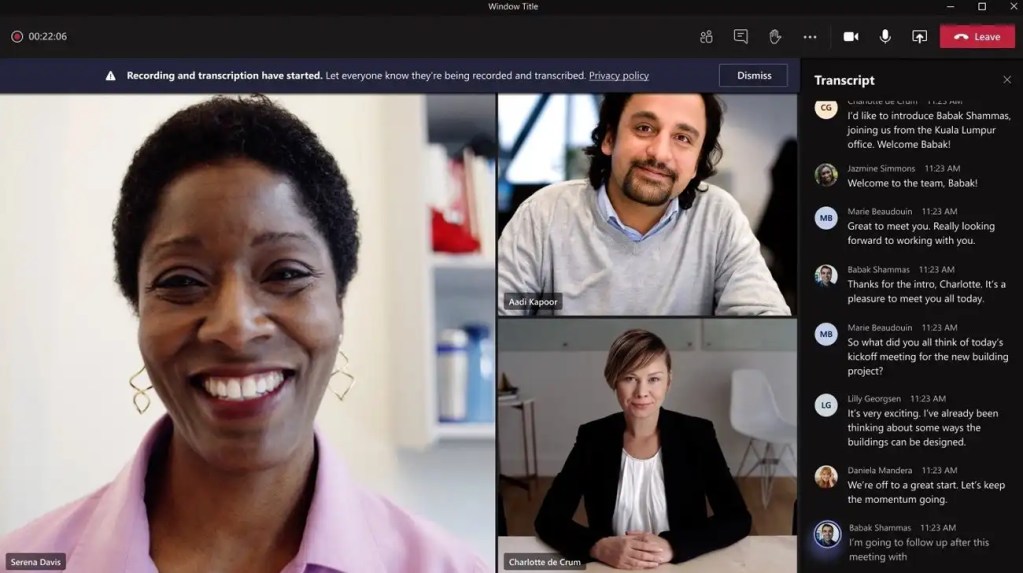
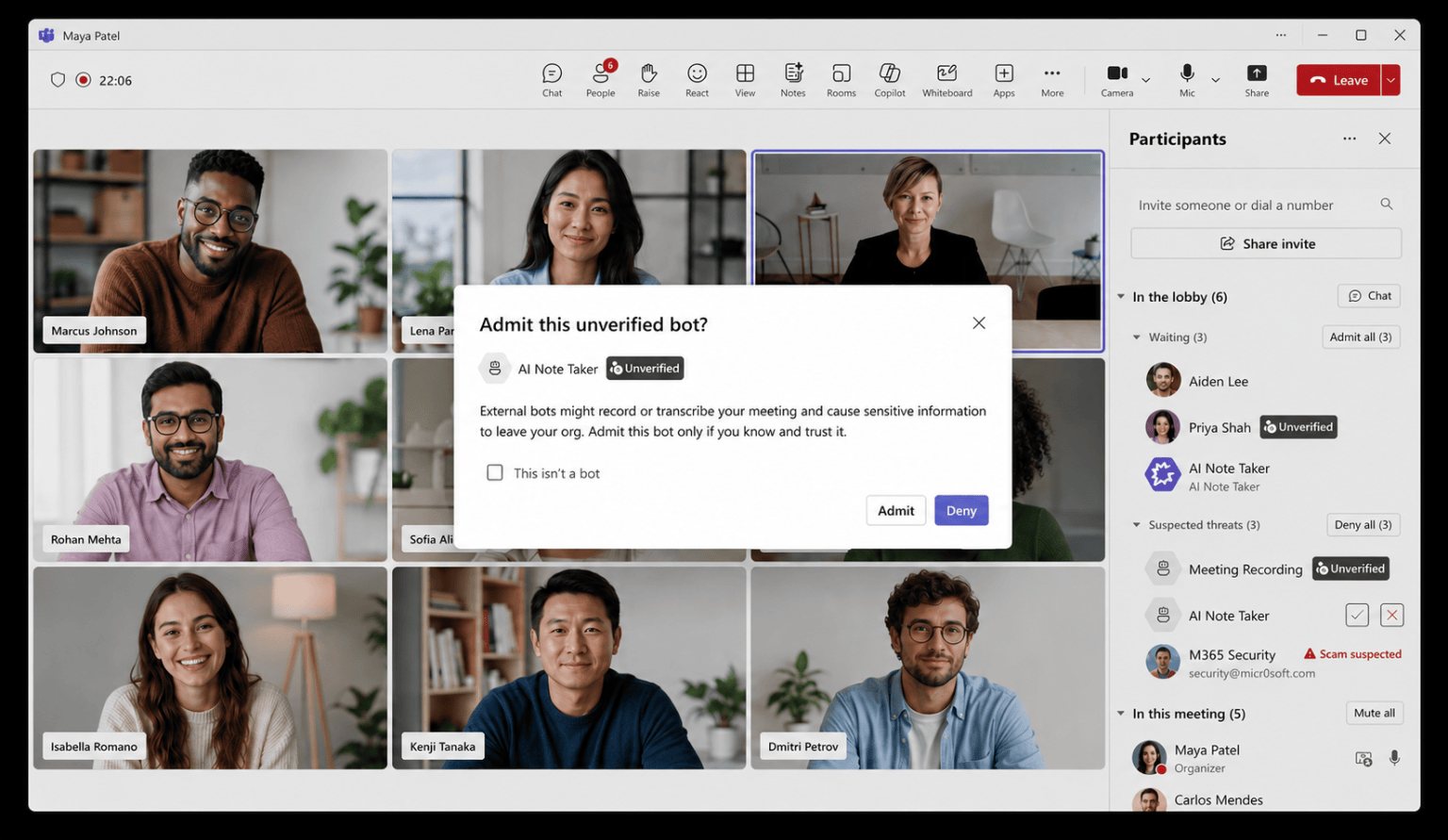
Sofia Arjun Amara Wei Recording has started. Your org policy requires that this meeting be recorded.

Capture every Microsoft Teams conversation

Automatically capture Microsoft Teams calls and meetings using a Microsoft Teams compliance recording policy. Argus Archive records conversations in real time, preserving audio and metadata from the moment a conversation begins, with video and screen share as an add-on.

Automatic policy-based recording

Capture Microsoft Teams conversations automatically using a Microsoft Teams compliance recording policy, without relying on users to start or stop recordings, invite recording bots or admit participants to meetings.

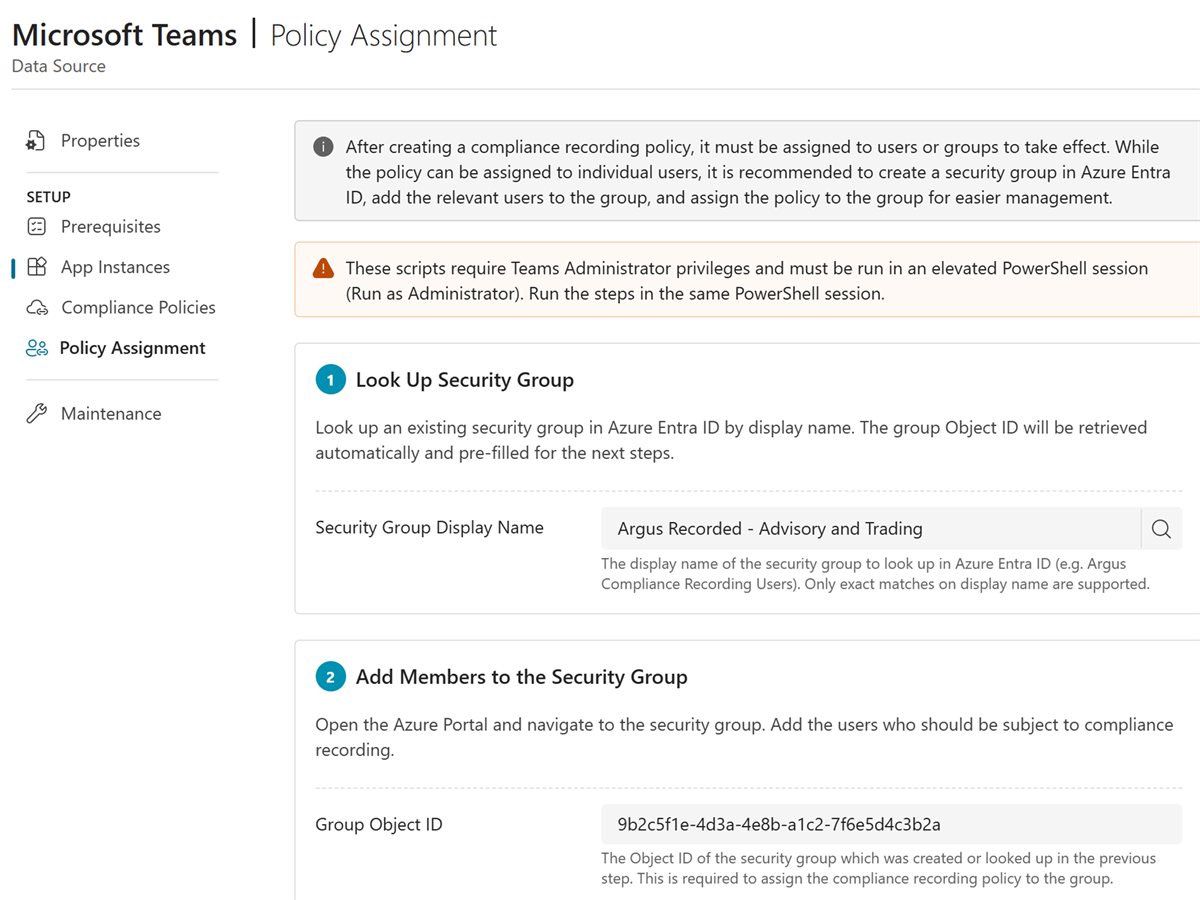
Assigning the Microsoft Teams recording policy to a security group in Argus Archive

Capture every conversation

Capture Microsoft Teams communications, including Teams Phone calls through Calling Plan, Operator Connect or Direct Routing, peer-to-peer and group calls, call queues, plus scheduled, ad hoc and customer-hosted meetings.

Teams call Internal and external Recording Teams meeting Audio, video and screen share Recording Call queue Client service queue Recording Phone call To and from outside numbers Recording Argus Archive Wendy Adams · Priya Patel Teams call · 18 min Archived Advisory desk weekly Teams meeting · 42 min Archived Laura Bennett · Liam Clark Call queue · 6 min Archived Karen Harris · external Phone call · 11 min Archived Encrypted and stored in the EU

Complete conversation context

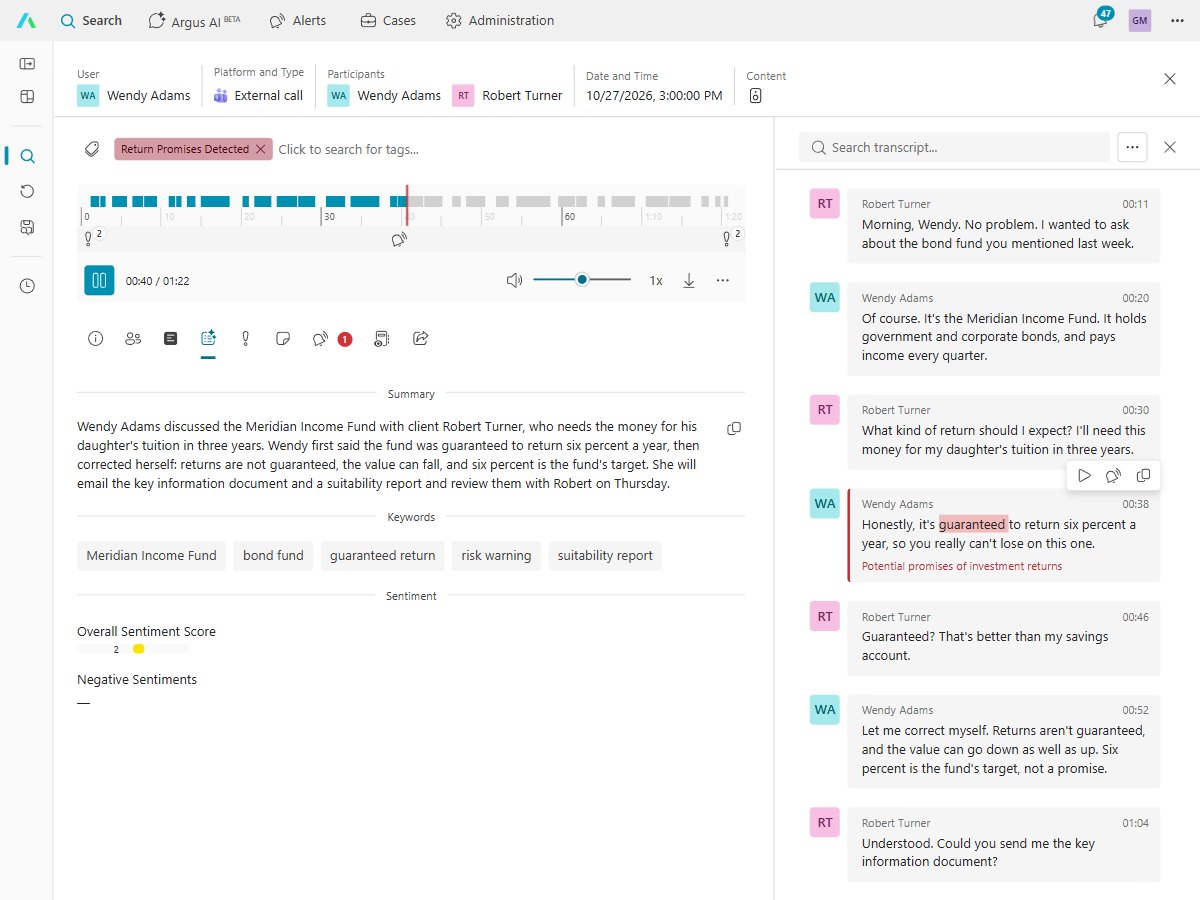
Enrich Microsoft Teams conversations with transcripts, speaker identification, participants, timestamps and metadata, creating a complete record for replay, search and AI analysis.

A recorded call in Argus Archive with its summary and a speaker-labeled transcript, the spoken word highlighted during playback and a line flagged by an alert
Assigning the Microsoft Teams recording policy to a security group in Argus Archive
Teams call Internal and external Recording Teams meeting Audio, video and screen share Recording Call queue Client service queue Recording Phone call To and from outside numbers Recording Argus Archive Wendy Adams · Priya Patel Teams call · 18 min Archived Advisory desk weekly Teams meeting · 42 min Archived Laura Bennett · Liam Clark Call queue · 6 min Archived Karen Harris · external Phone call · 11 min Archived Encrypted and stored in the EU
A recorded call in Argus Archive with its summary and a speaker-labeled transcript, the spoken word highlighted during playback and a line flagged by an alert

Archive every conversation

Create a secure, searchable archive of Microsoft Teams communications that keeps conversations, context and intelligence in a single platform, designed for fast replay, investigation and long-term access.

Unified conversation archive

Store recordings, transcripts, participants, timestamps, speaker identification and metadata together to create a complete record of every Microsoft Teams conversation.

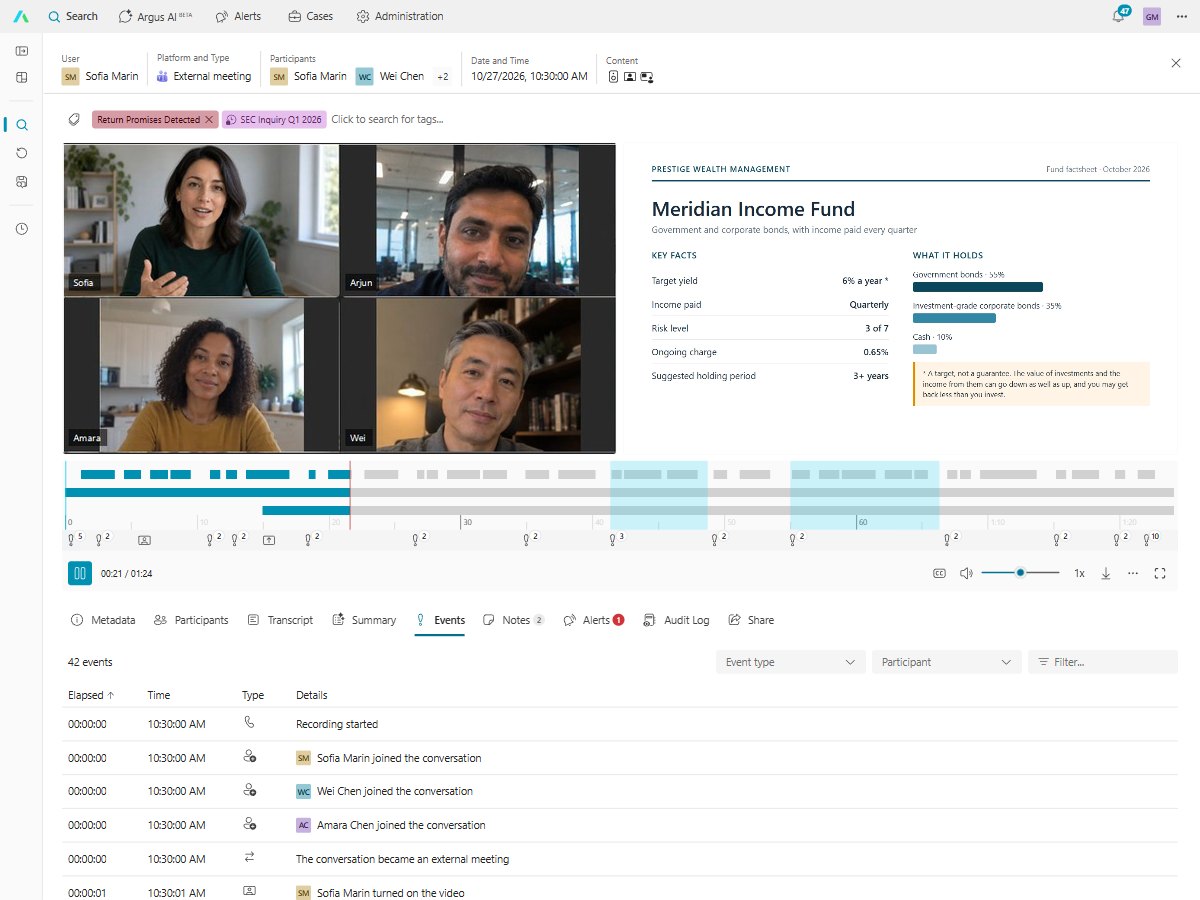
A recorded meeting in Argus Archive playing with its video and screen share, above the list of everything that happened in it, from who joined to when the screen share started

Replay with context

Replay conversations alongside transcripts, participants and conversation metadata, making it easier to review interactions without switching between systems.

A recorded meeting in Argus Archive playing with its video and screen share, above the list of everything that happened in it, from who joined to when the screen share started

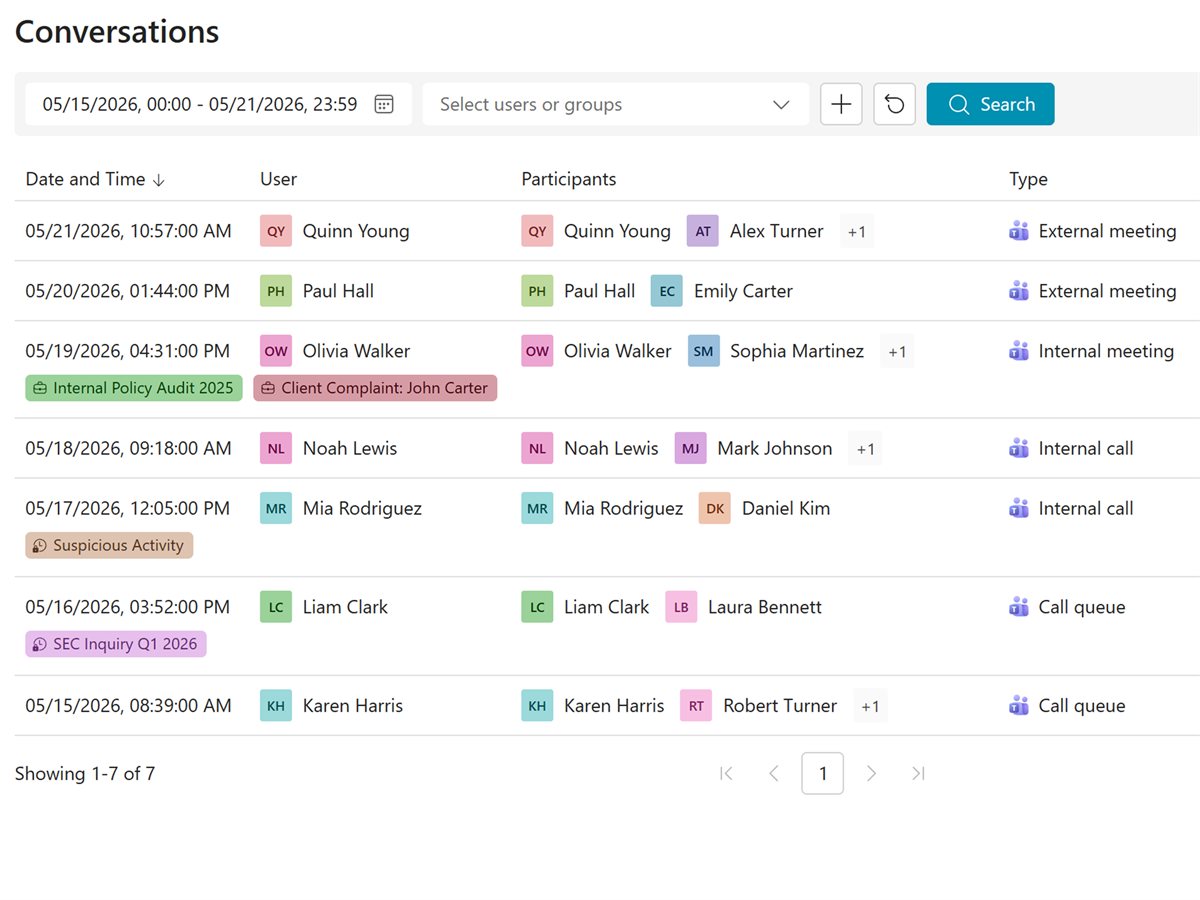
Searchable by design

Quickly find conversations using filters, metadata and AI-powered search, reducing the time spent finding the information you need.

Argus Archive conversation search: a week of external and internal meetings, internal calls and call queues, with tags
A recorded meeting in Argus Archive playing with its video and screen share, above the list of everything that happened in it, from who joined to when the screen share started
Argus Archive conversation search: a week of external and internal meetings, internal calls and call queues, with tags

Turn Microsoft Teams conversations into intelligence

Every Microsoft Teams conversation becomes a source of actionable intelligence. Argus Archive applies AI in real time and after the call to help organizations search, understand and act on communications faster.

AI insights

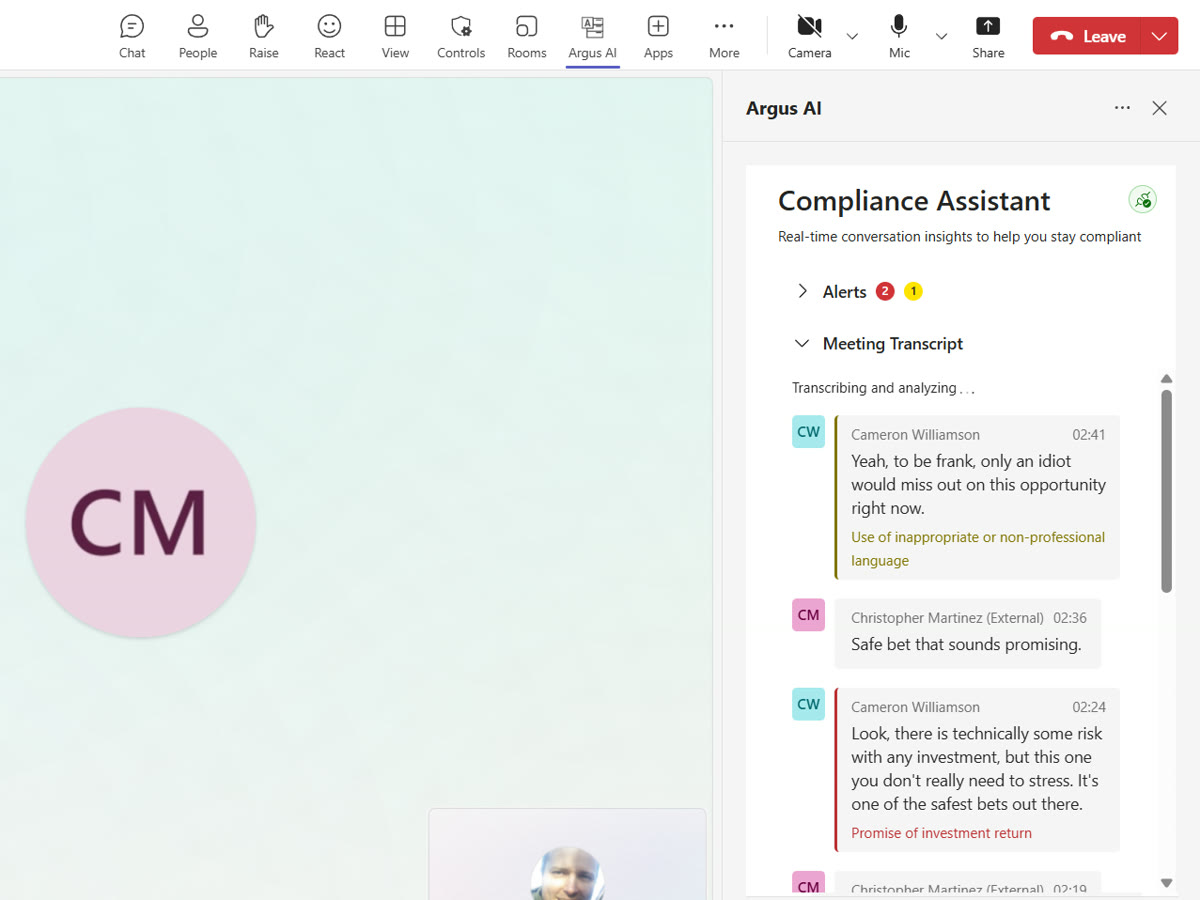
Turn conversations into searchable intelligence with transcripts, summaries, speaker identification and sentiment analysis.

The Argus compliance assistant flagging remarks during a Teams call

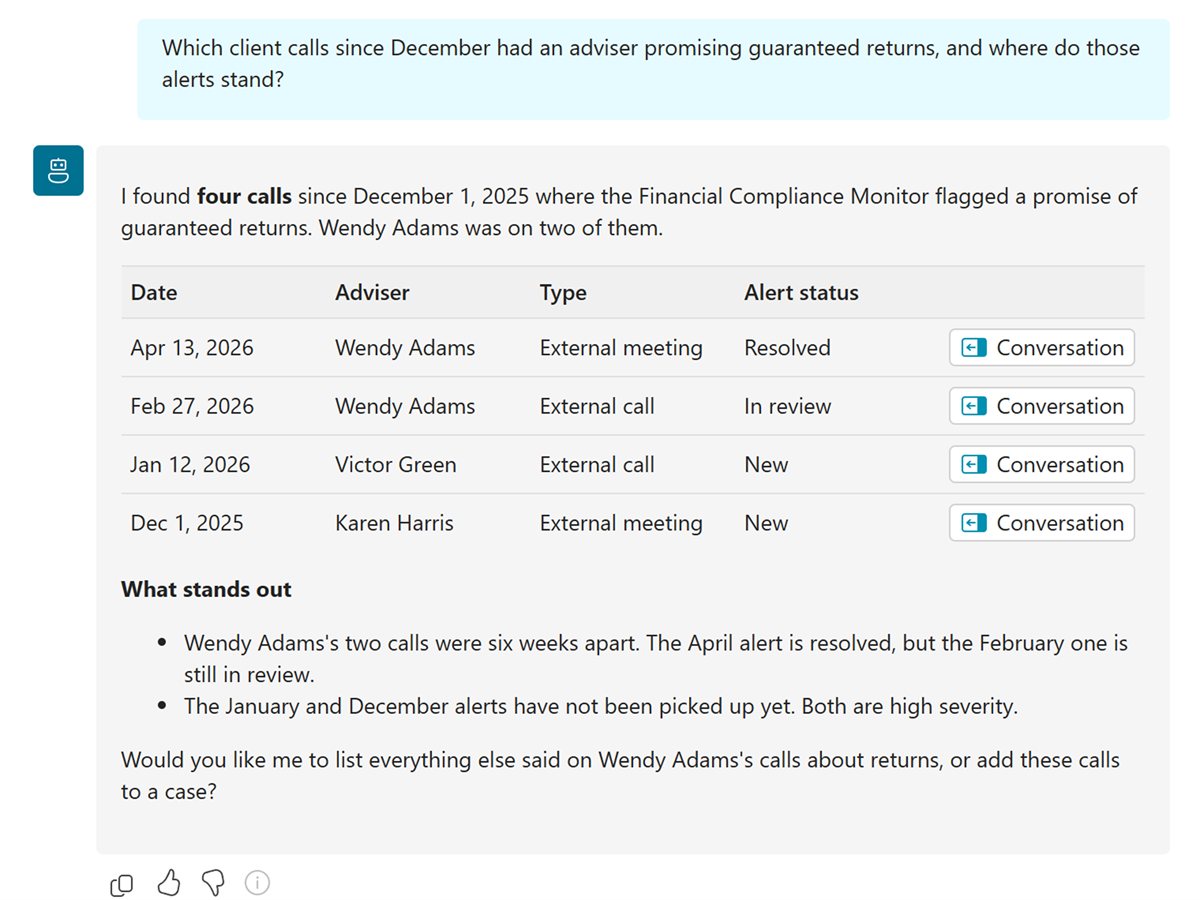
Find conversations by meaning, not just keywords, using AI-powered search and intelligent filtering.

Argus AI answering a question across recorded calls

Workflow automation

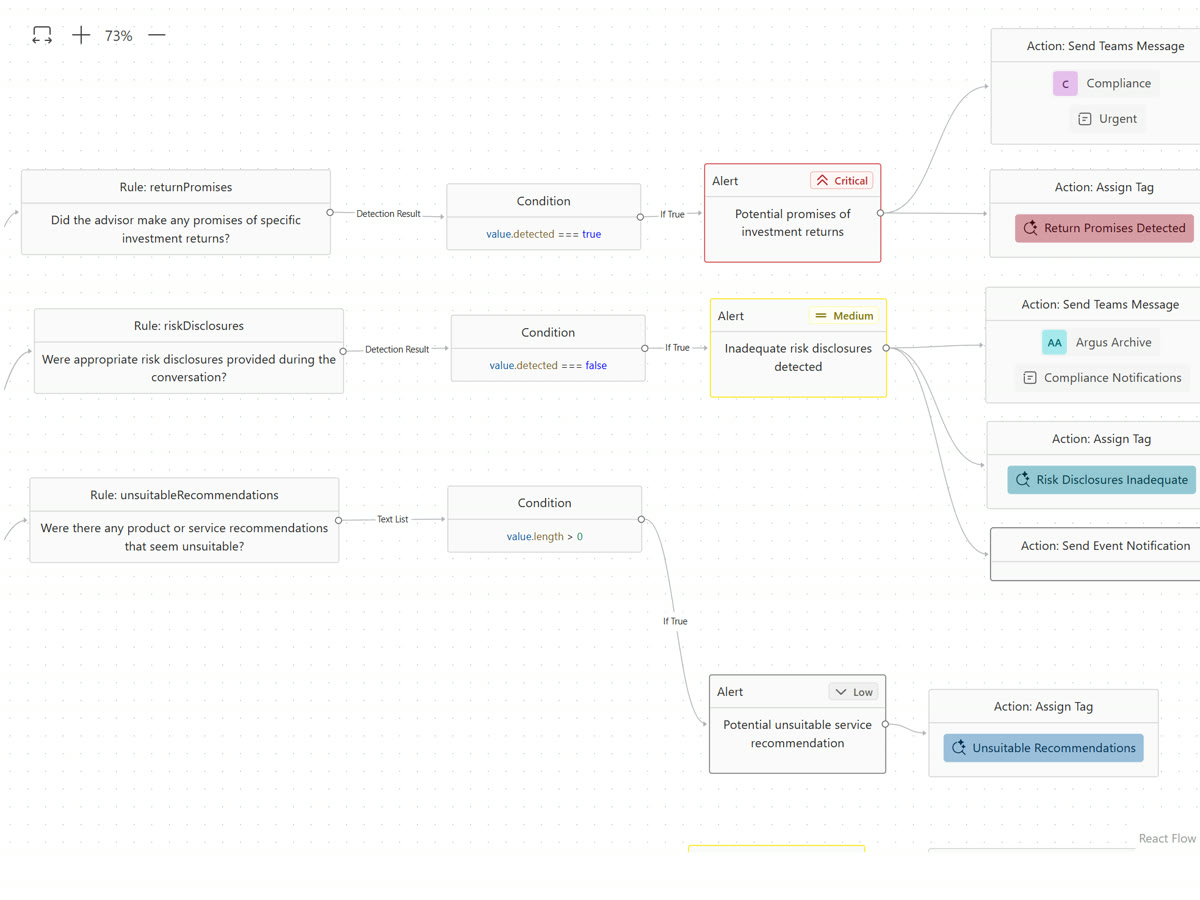
Automate detection, alerts and follow-up actions using configurable AI workflows.

The Argus Archive workflow editor
The Argus compliance assistant flagging remarks during a Teams call
Argus AI answering a question across recorded calls
The Argus Archive workflow editor

Built for Microsoft Teams

Argus Archive works through Teams compliance recording, so every recorded call and meeting arrives complete, people keep working in Teams, and your admins stay in control.

Its own recording stream

Each recorded call and meeting reaches Argus Archive through Teams' compliance recording framework, as its own audio, video and screen share streams.

External meetings too

Recorded users are captured in meetings hosted by clients, partners and other organizations, as well as in your own.

Strict recording

A call or meeting can be set so it can't go ahead without the recorder, so a regulated call is never left unrecorded.

Holds, transfers and conferences

Holds and transfers are kept as events in the call, and a one-to-one call that grows into a conference goes on being recorded.

Call queues

A call queue call is recorded for the queue and for the agent who answers.

Your recording notice

Teams tells everyone on the call that it's being recorded, in wording you set.

Alerts in Teams

With the Real-time add-on, the Argus app in Teams shows the person on the call each alert while it can still be put right, and alerts can be posted to a Teams channel.

Video and screen sharing

Audio, video and screen sharing, chosen for each type of call. Video and screen share are an add-on.

Guided setup, Microsoft sign-in

Argus Archive guides your admin through each step of the Teams policy, with the PowerShell commands to run, and people sign in with their Microsoft work account.

Argus Archive vs Microsoft Teams recording and Copilot

Teams' own recording and Copilot are built for collaboration and productivity. Argus Archive is built for keeping, finding and reviewing every call.

Teams recording Copilot in Teams Argus Archive
Starts without anyone pressing a button Per meeting, if the organizer sets it — ✓
People can't switch it off — — ✓
Every phone call recorded Call queues only — ✓
Meetings other companies host — — ✓
Audio, video and screen share kept ✓ — ✓
Recording notice for everyone ✓ Varies ✓
Kept as an organization record, not a user's file — — ✓
One central archive — — ✓
Retention and legal hold by case Mailbox and site holds — ✓
Access by role, with every view logged — — ✓
Search every call and transcript Through eDiscovery — ✓
AI summaries With Teams Premium ✓ ✓
Rules, alerts and cases — — ✓
Alerts during the call — — With Real-time

Frequently asked questions

Still have questions? Ask the team that built it.

Talk to us

What gets recorded?

Internal and external calls, phone calls, internal and external meetings, and call queue calls. For each type, your archive policy chooses whether audio, video and screen sharing are kept. Holds and transfers are kept as events in the call, and a one-to-one call that grows into a conference goes on being recorded. A call queue call is recorded for the queue and for the agent who answers.

Which phone calls are recorded?

Inbound and outbound calls through Teams Phone, with Calling Plan, Operator Connect or Direct Routing.

How is this different from Teams call queue recording?

Microsoft's automatic recording covers inbound calls to a call queue and keeps them in SharePoint. Argus Archive also records direct calls, outbound calls and meetings, and keeps every recording in one archive with search, retention and review.

Call queue recording guide

What do people see in Teams?

Teams shows its recording notice when a recorded call or meeting starts, and you can set the wording of that notice. With the Real-time add-on, the Argus app in Teams shows the person on the call each alert and the live transcript. Alerts can also be posted to a Teams channel or shared with a colleague.

How is it set up?

An admin connects Argus Archive to your Microsoft 365 tenant, then creates a Teams compliance recording policy and assigns it to the people you record. Argus Archive guides each step and gives you Microsoft's PowerShell commands to run. People sign in to Argus Archive with their Microsoft work accounts.

Set up the recording policy with PowerShell

Which Microsoft 365 licenses do we need?

Each recorded user needs a license Microsoft lists as eligible for compliance recording.

Microsoft's license list

Where are recordings kept?

Recordings are stored in the EU on Microsoft Azure, with more regions to follow. Each customer has its own database and storage container, and its own key that encrypts recordings by default.

Argus Archive AI-powered search uses semantic and vector-based search to understand the meaning and context of conversations, helping you quickly find recorded calls and meetings, even when the exact keywords weren't used.

How can I chat with my communications?

Argus Archive lets you ask questions in natural language and get context-rich answers from across your archive. Generate AI summaries, uncover key discussion points and understand conversations without manually reviewing every recording.

What is advanced replay?

Argus Archive advanced replay synchronizes audio, video, screen sharing, transcripts, metadata and AI insights in a single view. Review every conversation with complete context and go straight to the moments that matter.

How does Argus Archive help investigate communications?

Argus Archive combines AI-powered search, natural language chat, AI-generated summaries and advanced replay to help compliance teams find, understand and investigate business communications faster, from a single secure platform.

Record, archive and analyze every Teams conversation

Built by the people who created market-leading compliance recording and archiving products. Talk to us to see policy-based recording, the archive and AI analysis on your own Teams calls, or to ask about a trial.