


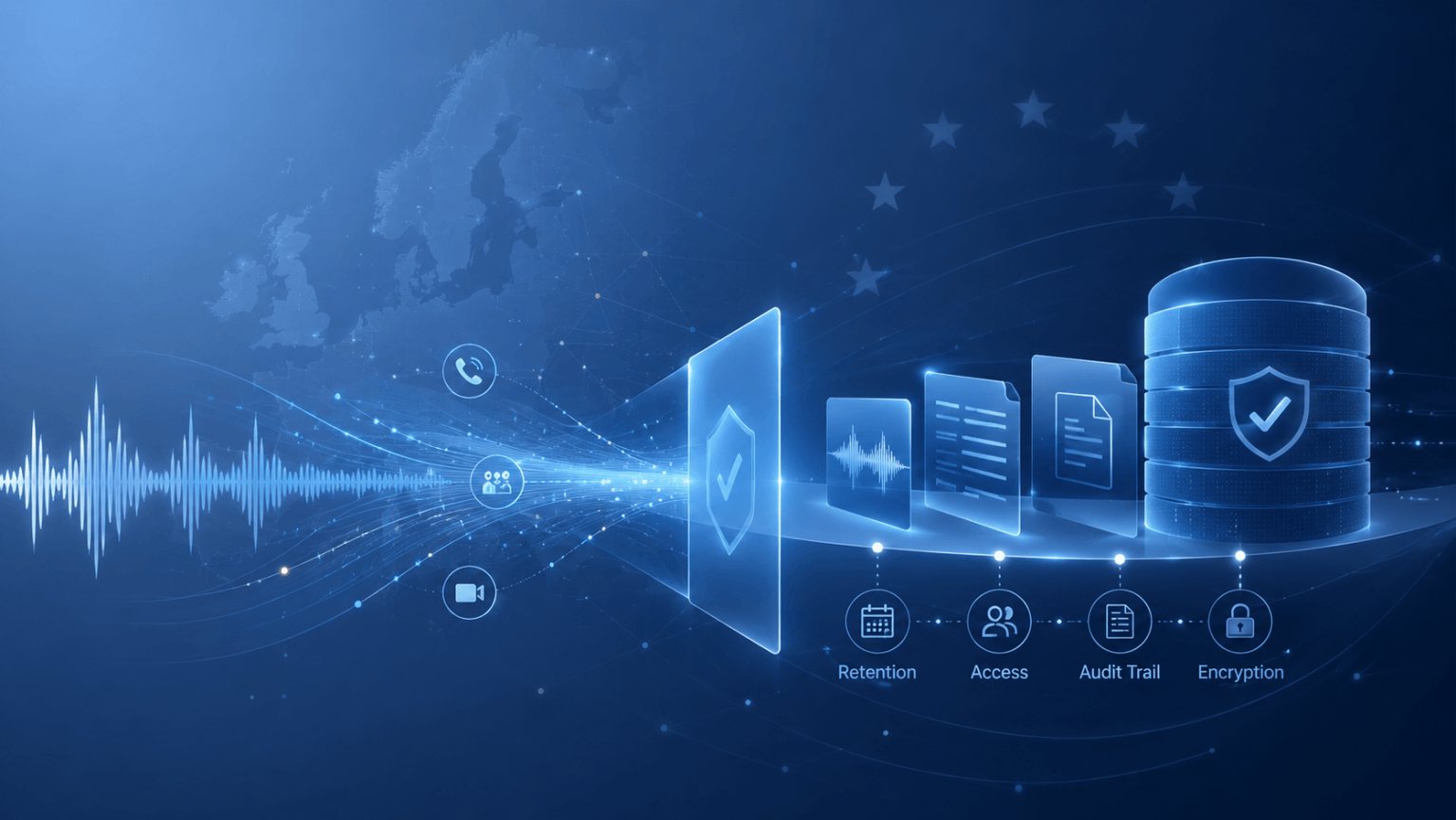
Compliance & Governance
GDPR and Call Recording: What Businesses Need to Know in 2026
How GDPR applies to call recording: lawful basis, retention, consent, compliance vs convenience recording, and AI obligations


Legal
Argus Archive records your lawyers' Microsoft Teams calls with clients, controls exactly who can hear them, and keeps every recording safe for as long as a matter needs it.
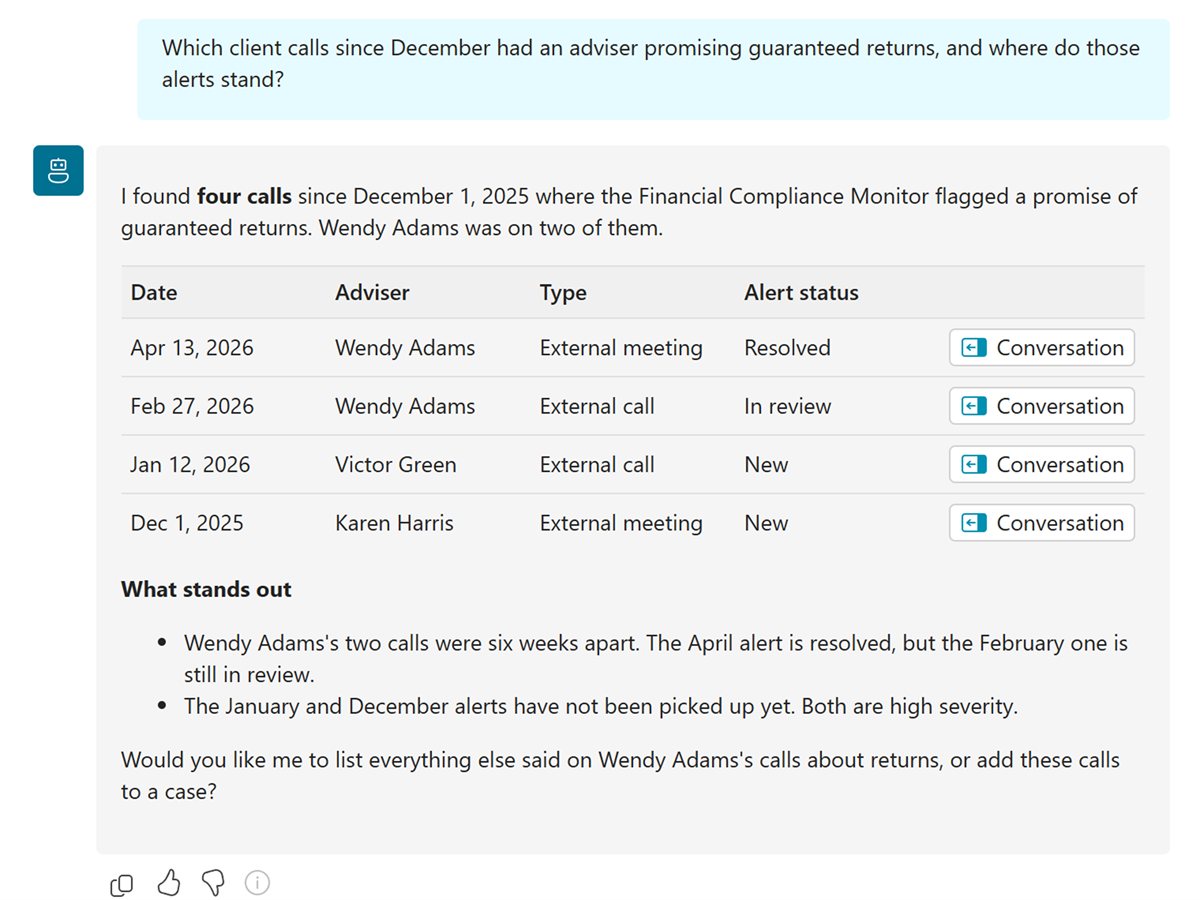
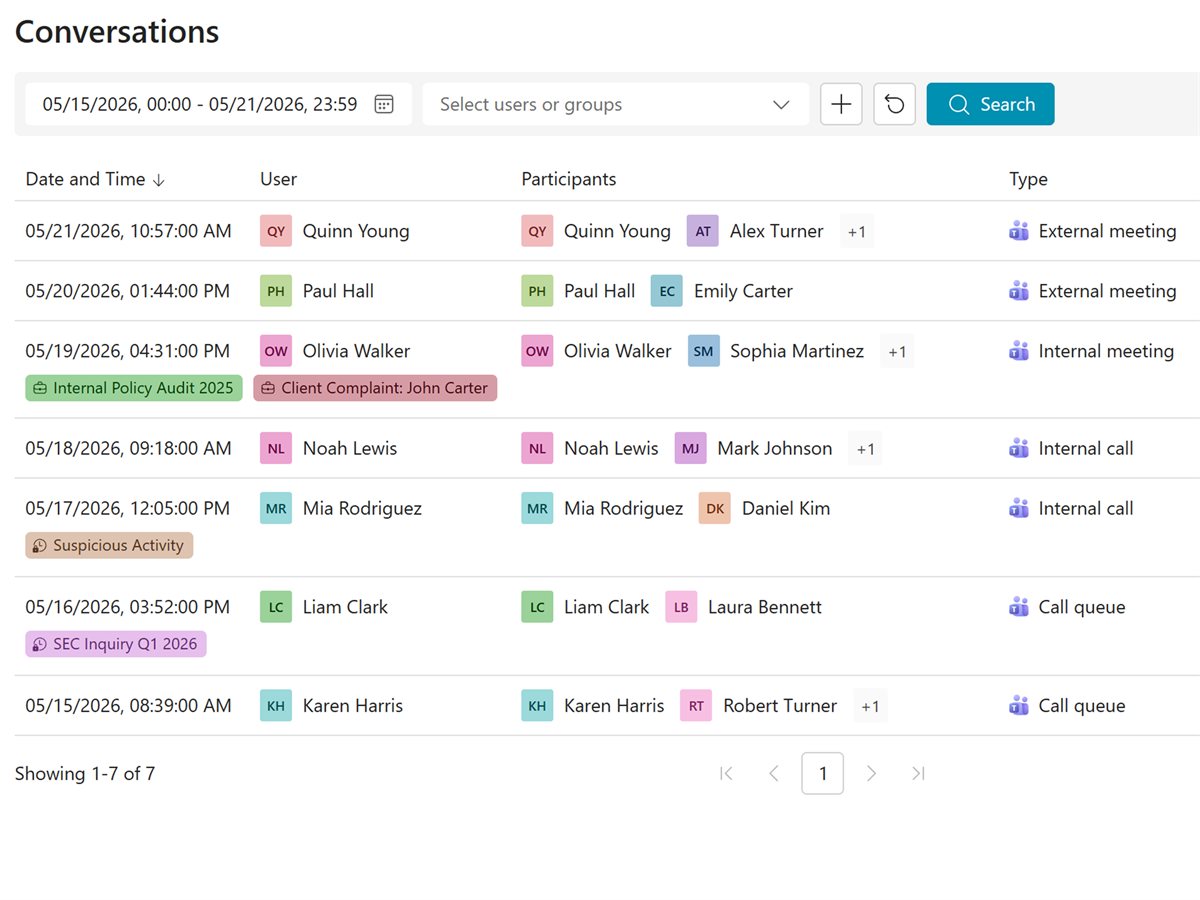
Access by role and group.
Who played each call, and when.
Legal hold overrides deletion.
Every recording is easy to find for the people on the matter, and closed to everyone else.
Find the call and jump to the exact moment it was agreed, with the transcript beside it. The recording settles it, not anyone's memory.
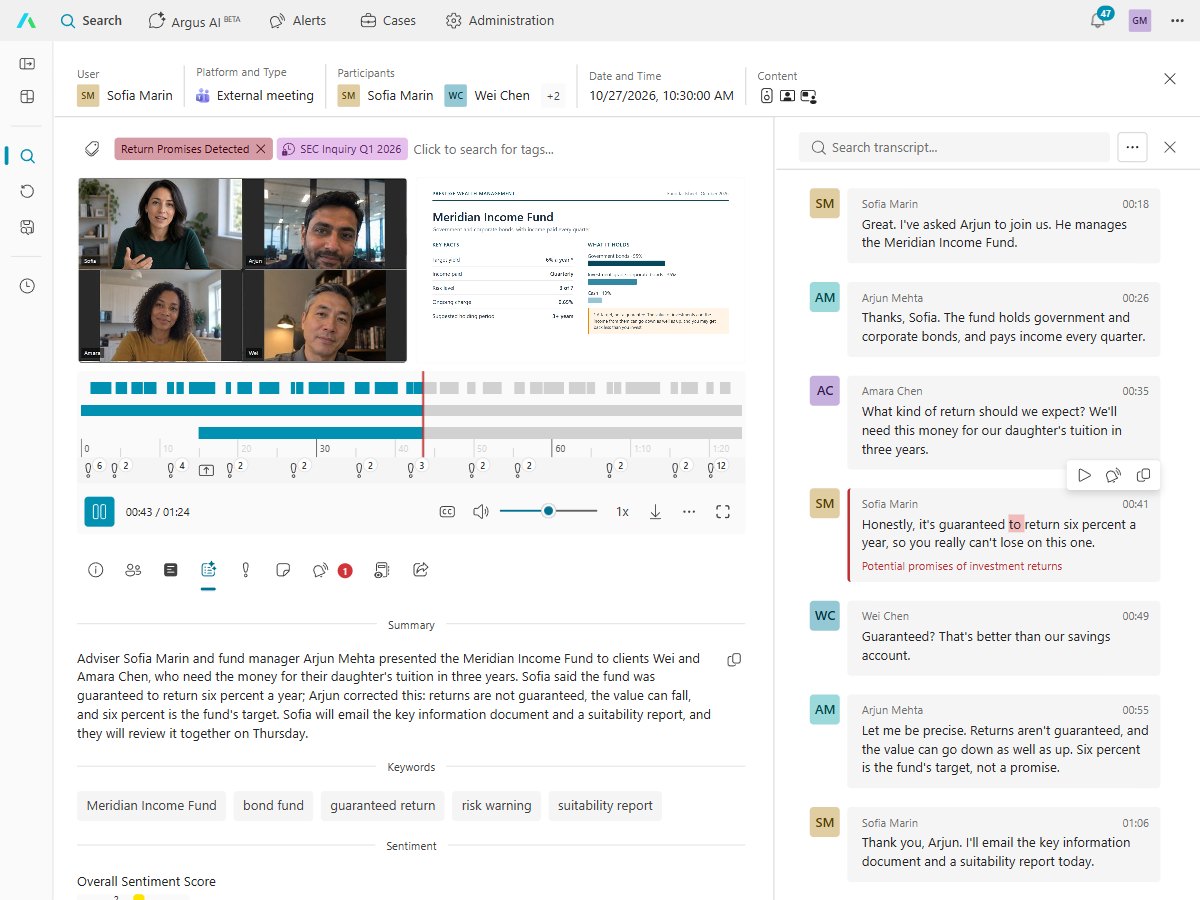
Access follows each person's role and group, so the lawyers on a matter hear its calls and nobody else does.
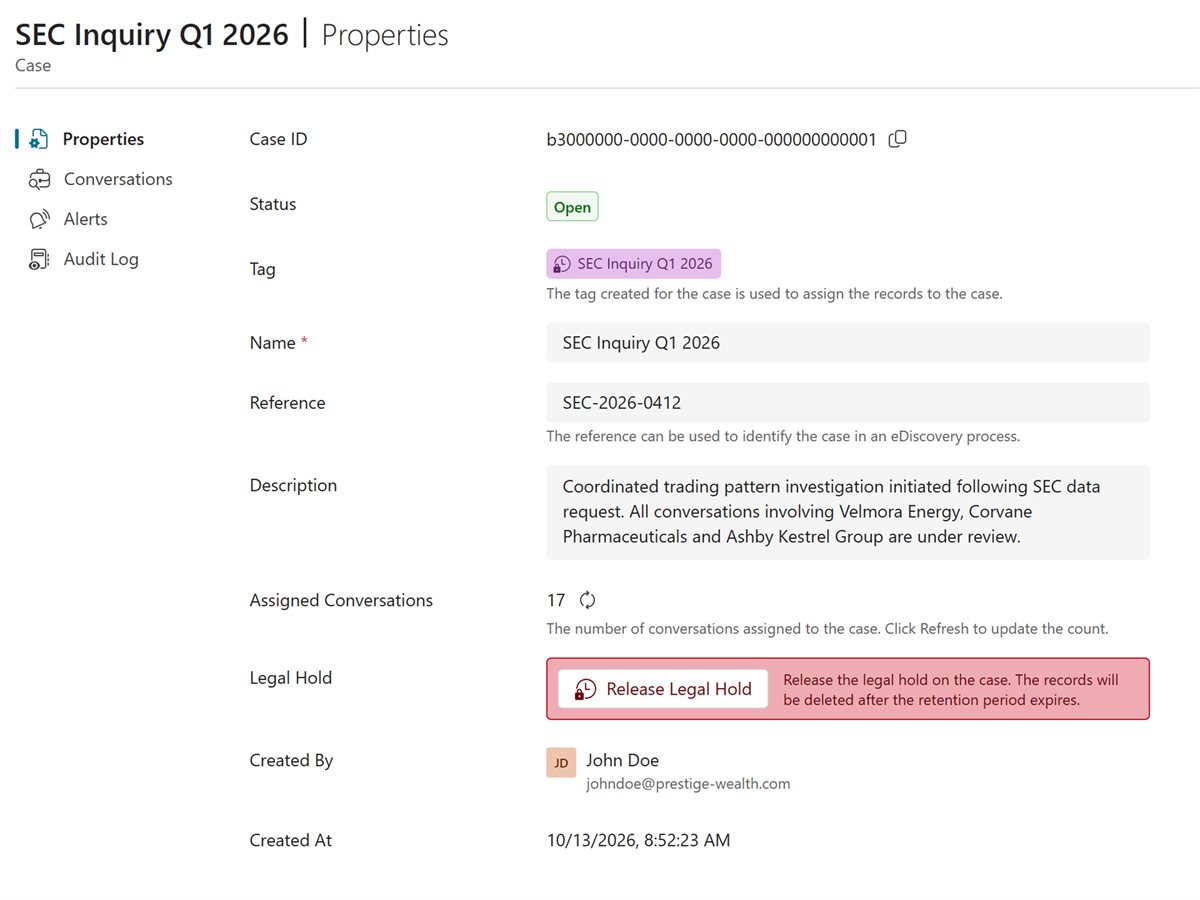
Gather a matter's calls, notes and tags into a case, and ask Argus AI what was said across all of them.
In most places, yes, as long as clients are told. Microsoft Teams tells everyone on a recorded call that it is being recorded. Check the rules where you and your clients are with your own advisers.
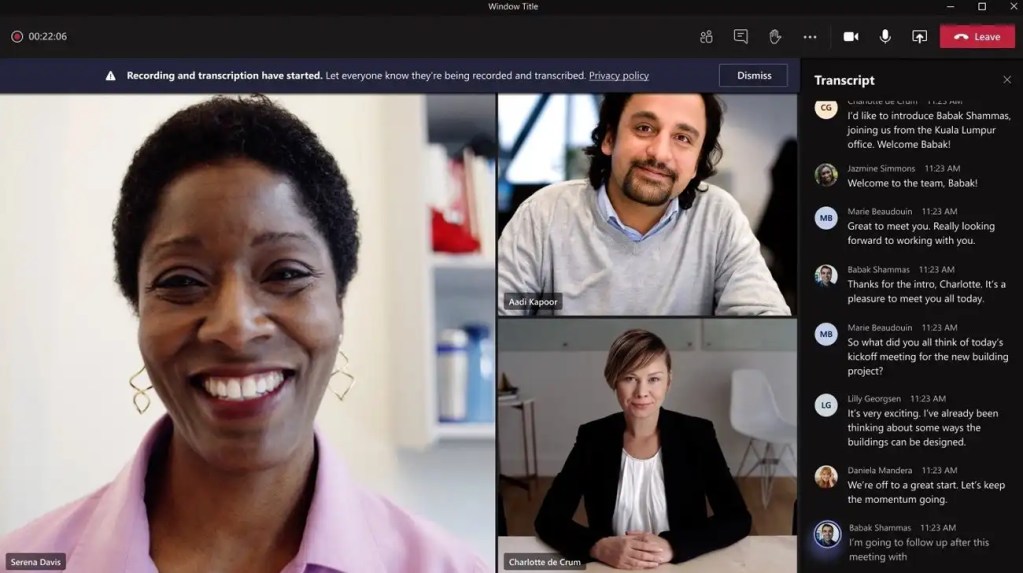
Yes. Teams shows a recording notice to everyone on the call, and users cannot turn it off.
Only the people your roles allow, such as the lawyers on the matter and your risk team. Every view and playback is recorded in the audit trail.
Yes. Legal hold stops a recording being deleted, even when its retention period ends.
There are no servers to install. Your IT admin signs in with their Microsoft work account, and Argus guides them through turning on Microsoft Teams compliance recording.
Argus Archive is priced per user, per month, with usage included, and you're warned before you go over.
What firms need to know before they record client calls.
Compliance & Governance
How GDPR applies to call recording: lawful basis, retention, consent, compliance vs convenience recording, and AI obligations
Product & Platform
Microsoft Teams native recording works for collaboration. Compliance recording delivers policy-based capture, retention, and regulatory oversight.

Compliance & Governance
Learn how digital signing, SHA-256, and digital certificates protect archived records by providing verifiable proof of integrity and authenticity.
Built by the people who created market-leading compliance recording and archiving products. Talk to us to see recording, access control and legal hold for your firm.