
Compliance & Governance
GDPR and Call Recording: What Businesses Need to Know in 2026
How GDPR applies to call recording: lawful basis, retention, consent, compliance vs convenience recording, and AI obligations


Government
One system for your records, data protection and customer teams. Argus Archive records Microsoft Teams calls by itself, keeps each one for as long as your schedule says, and finds it when a request arrives.
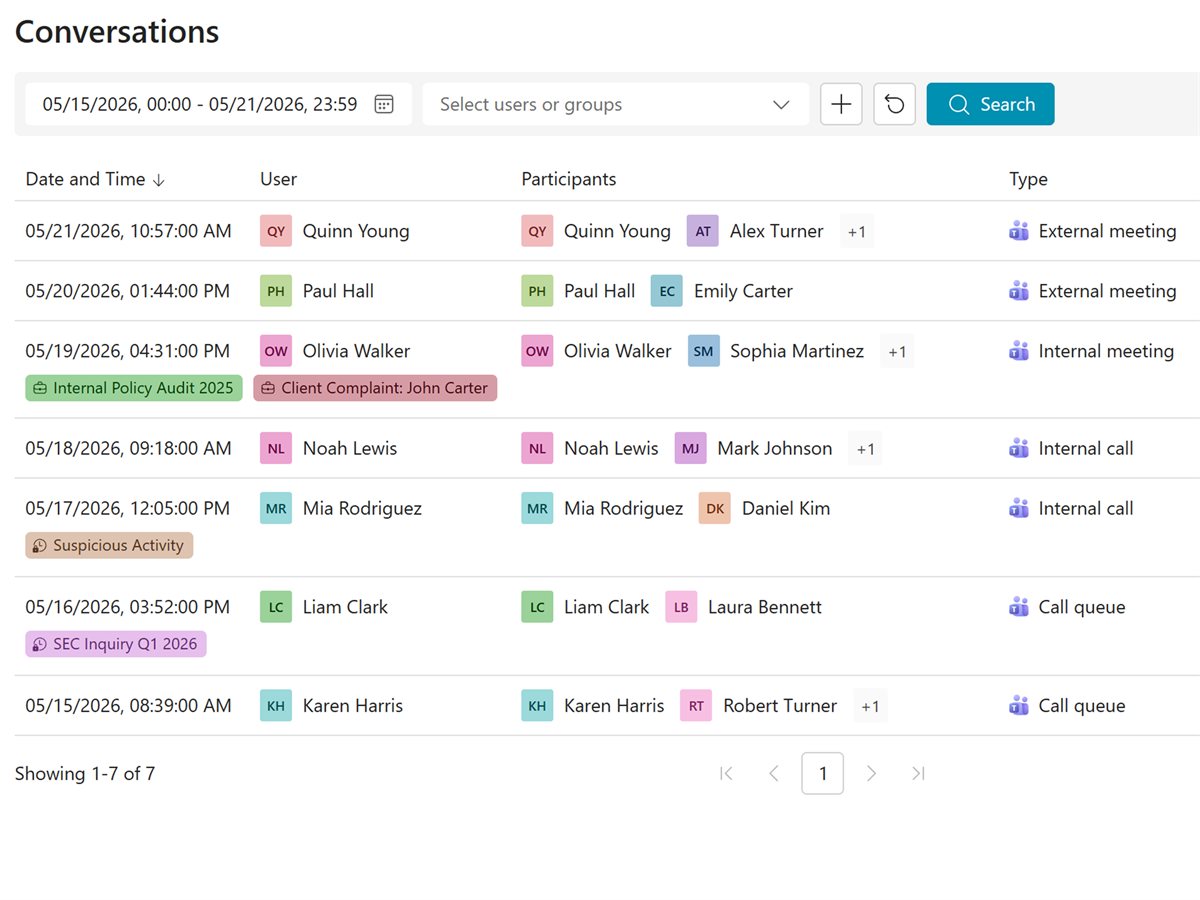
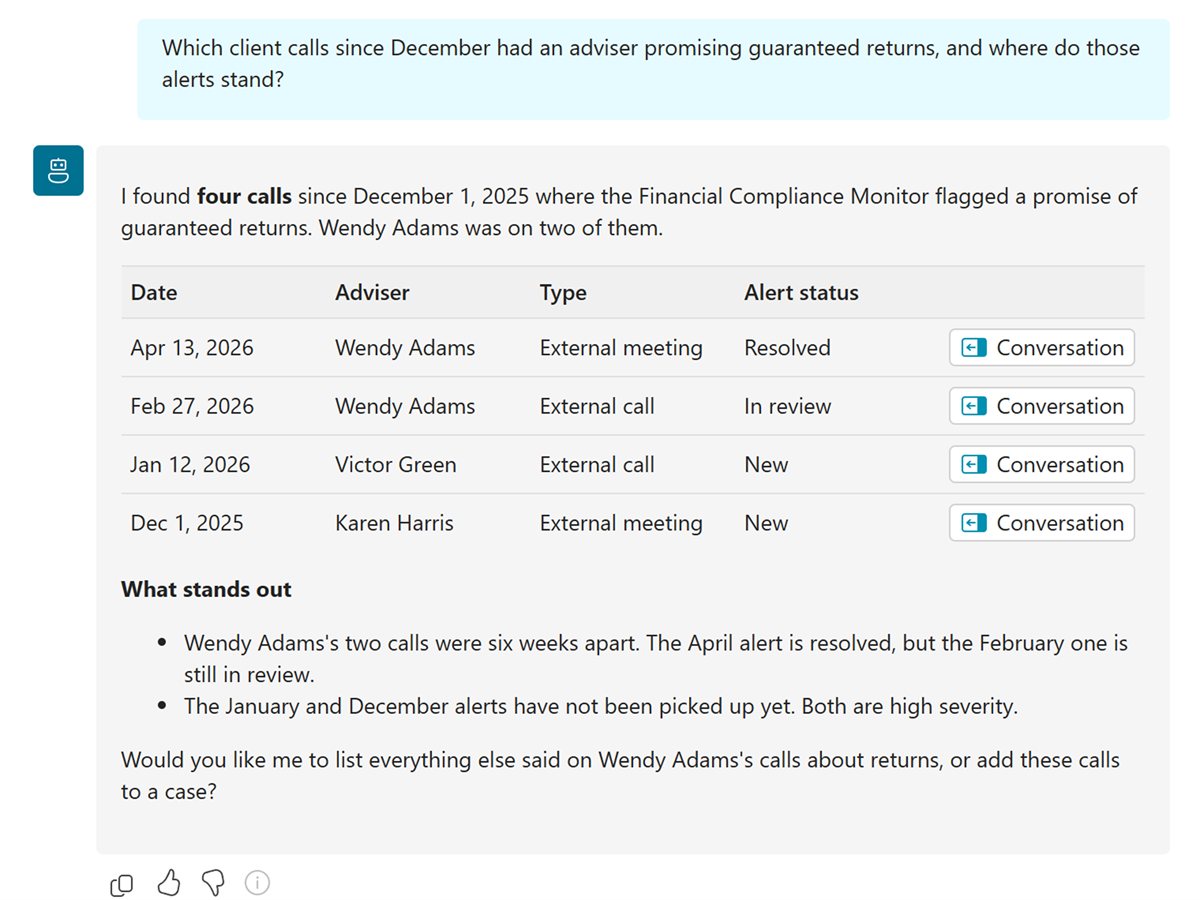
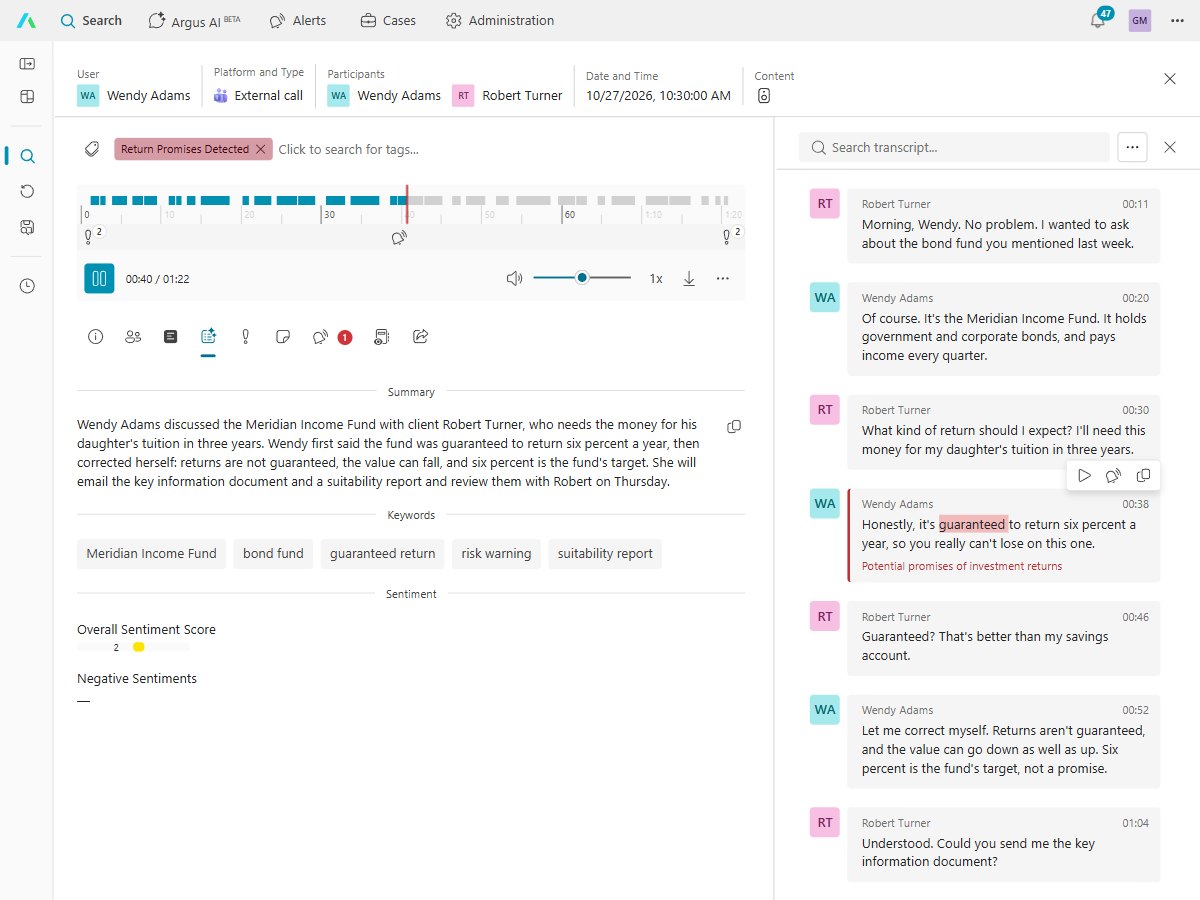
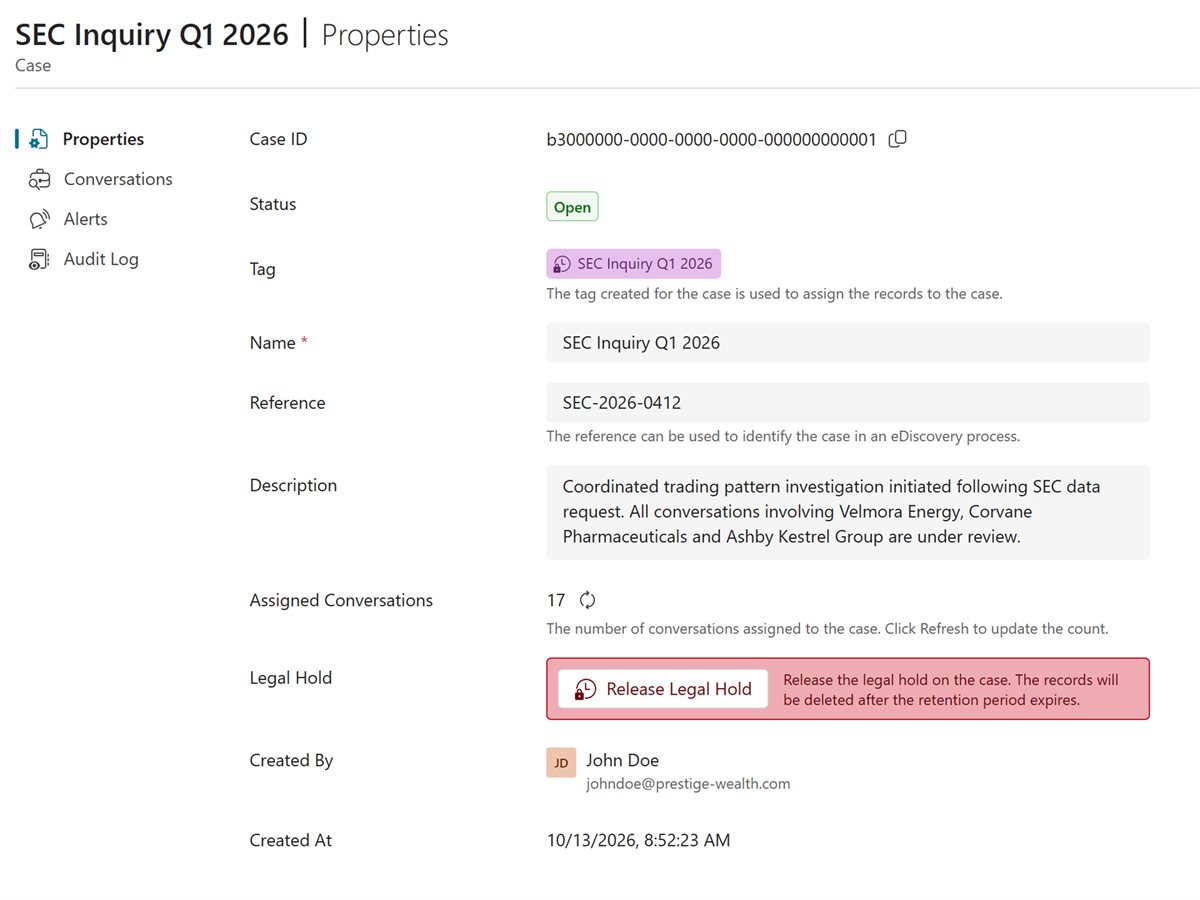
Answer a request without listening for hours: find the calls, check the moment and export what the request covers.
Search by meaning, person, date or tag, or ask Argus AI in plain words and get answers that link to each call.
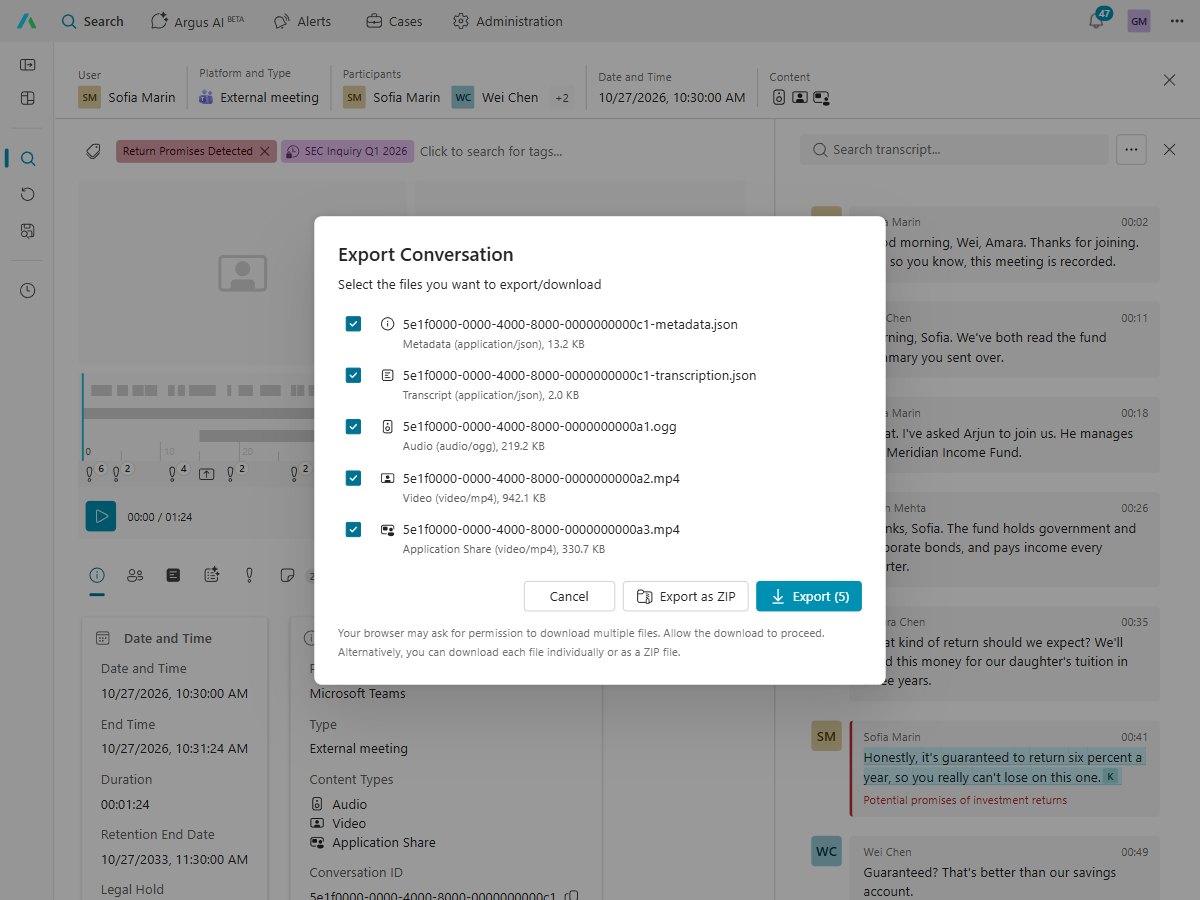
Gather the calls into a case under the request's reference, then export them for your reply.
See what was really said to a resident, and what residents call about most.
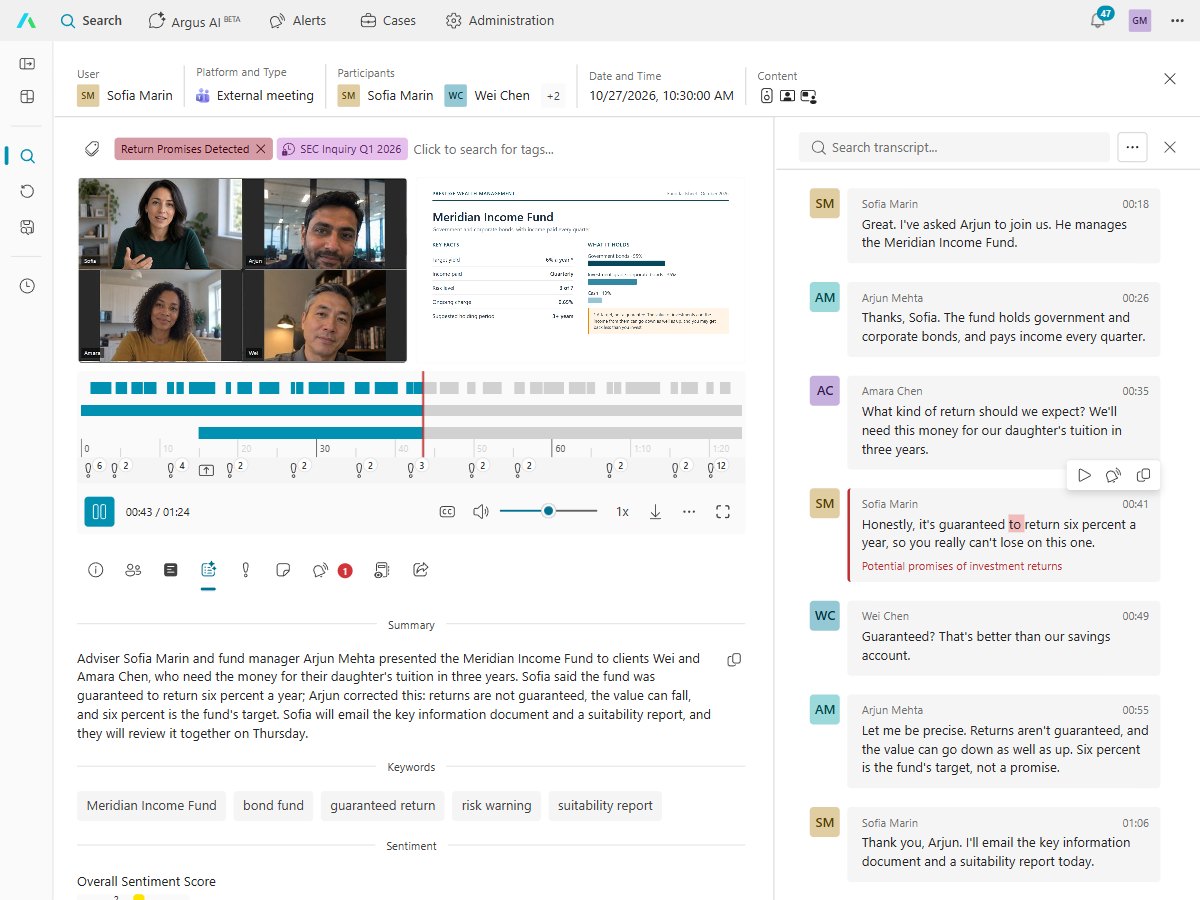
Jump to the moment in the transcript, read the AI summary, and hear exactly how it was said.
Topic trends show which issues are growing, so you can fix the cause, not just answer the call.
Keep only what you need, only as long as you need it, and show who has listened.
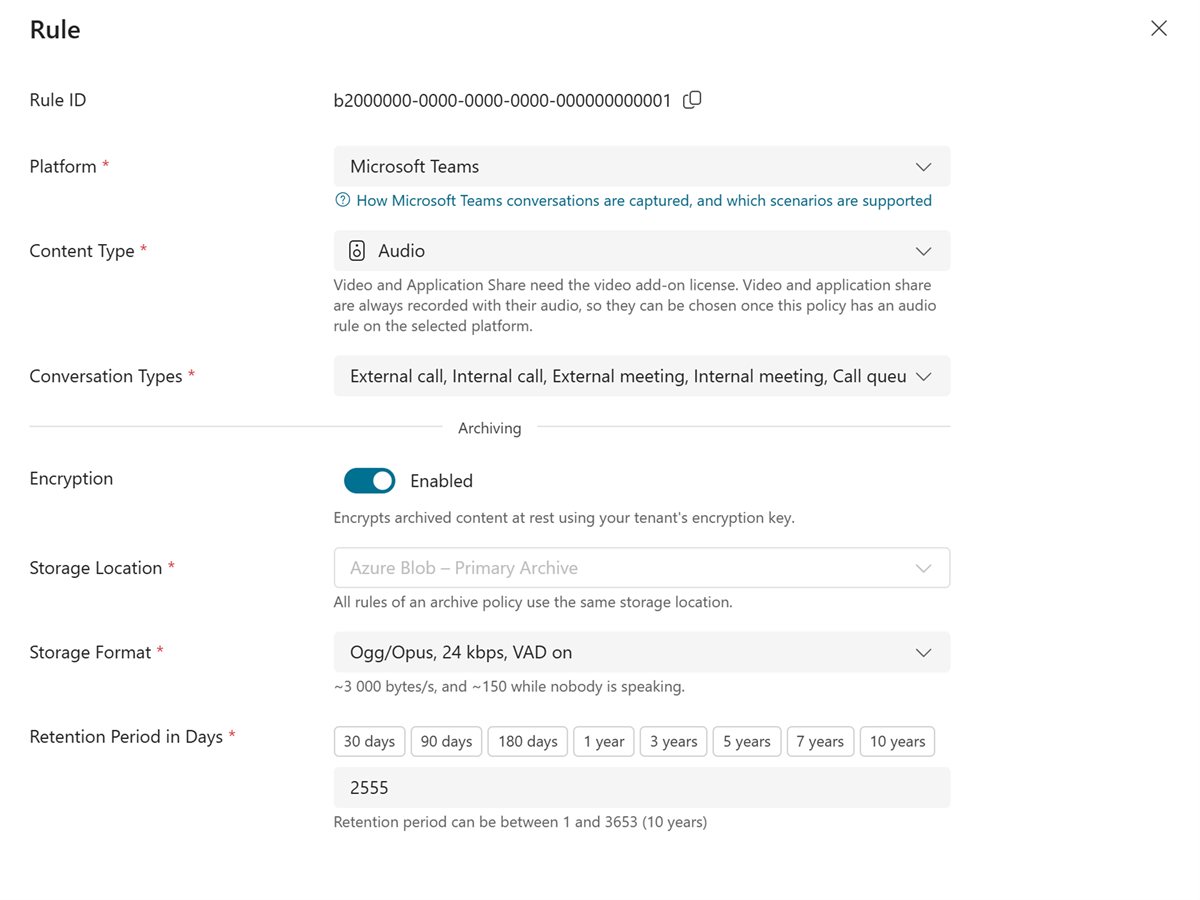
Set how long each kind of call is kept. It's deleted automatically when its time ends, unless it's on legal hold.
Only people whose role allows it can listen, and the audit log shows who played or viewed each call.
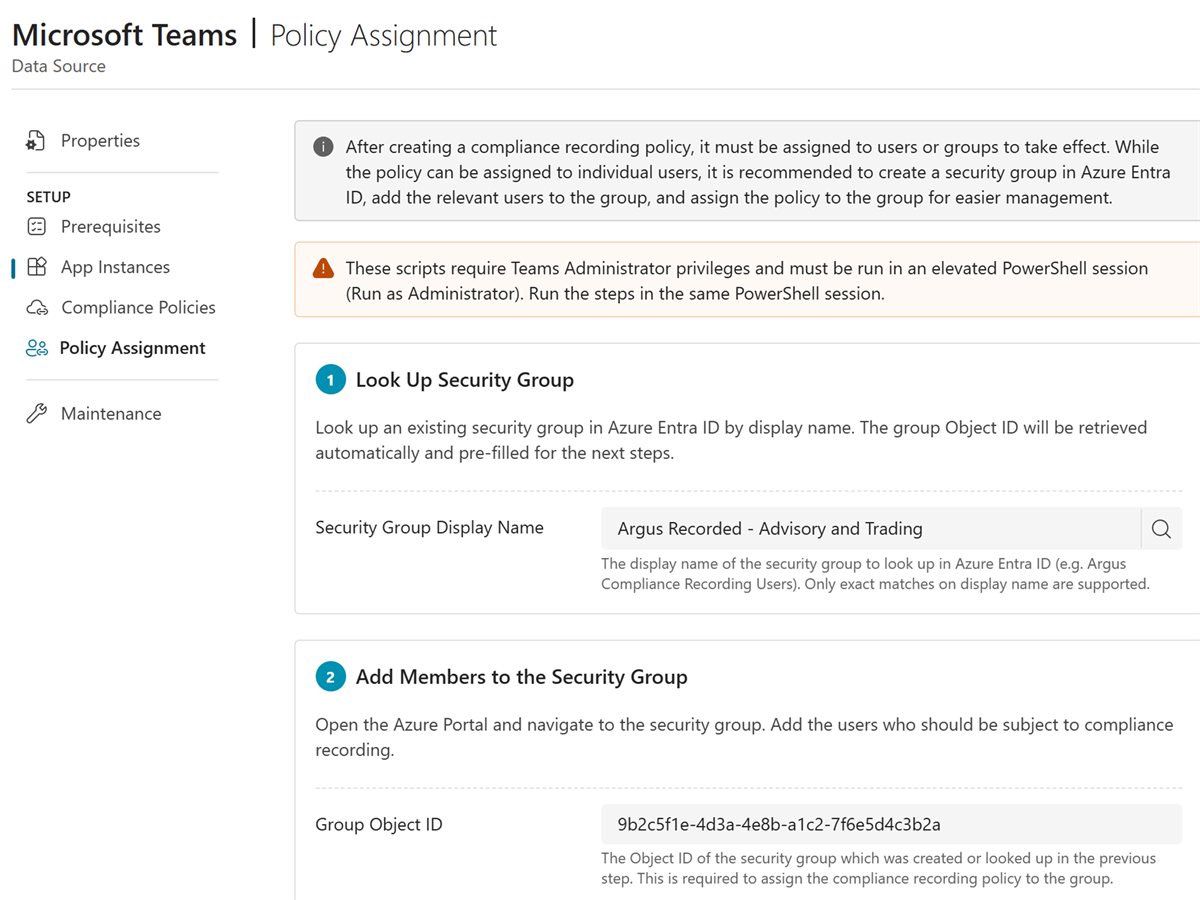
Up and running with nothing to install, on the Microsoft sign-in your staff already use.
Entra ID, MFA and Conditional Access protect every login, as they do today.
Recording follows a Teams compliance recording policy for the users and groups you choose, with nothing for staff to press.
| Rule | What it asks | How Argus Archive helps |
|---|---|---|
| UK GDPR and GDPR, right of access | Give a person their data within one month | Find the calls with that person, then export them |
| UK GDPR and GDPR, storage limitation | Keep personal data no longer than needed | Each call kept to its schedule, then deleted automatically |
| FOIA 2000, FOISA 2002, Ireland FOI Act 2014 | Answer a request within 20 working days (four weeks in Ireland) | Search by meaning, person, date or tag, or ask Argus AI |
| Records management code (section 46, FOIA) | Keep records to a schedule and dispose of them on time | Retention by schedule, and legal hold during an inquiry |
A records request starts a clock: one month for a subject access request, 20 working days for FOI. Argus Archive keeps every step in one place, from the first search to the reply.
Search every recorded call by meaning, person, date or tag, or ask Argus AI in plain words, such as which calls a resident made about a parking permit in March. Every answer links to the calls behind it, so nothing rests on the AI alone.
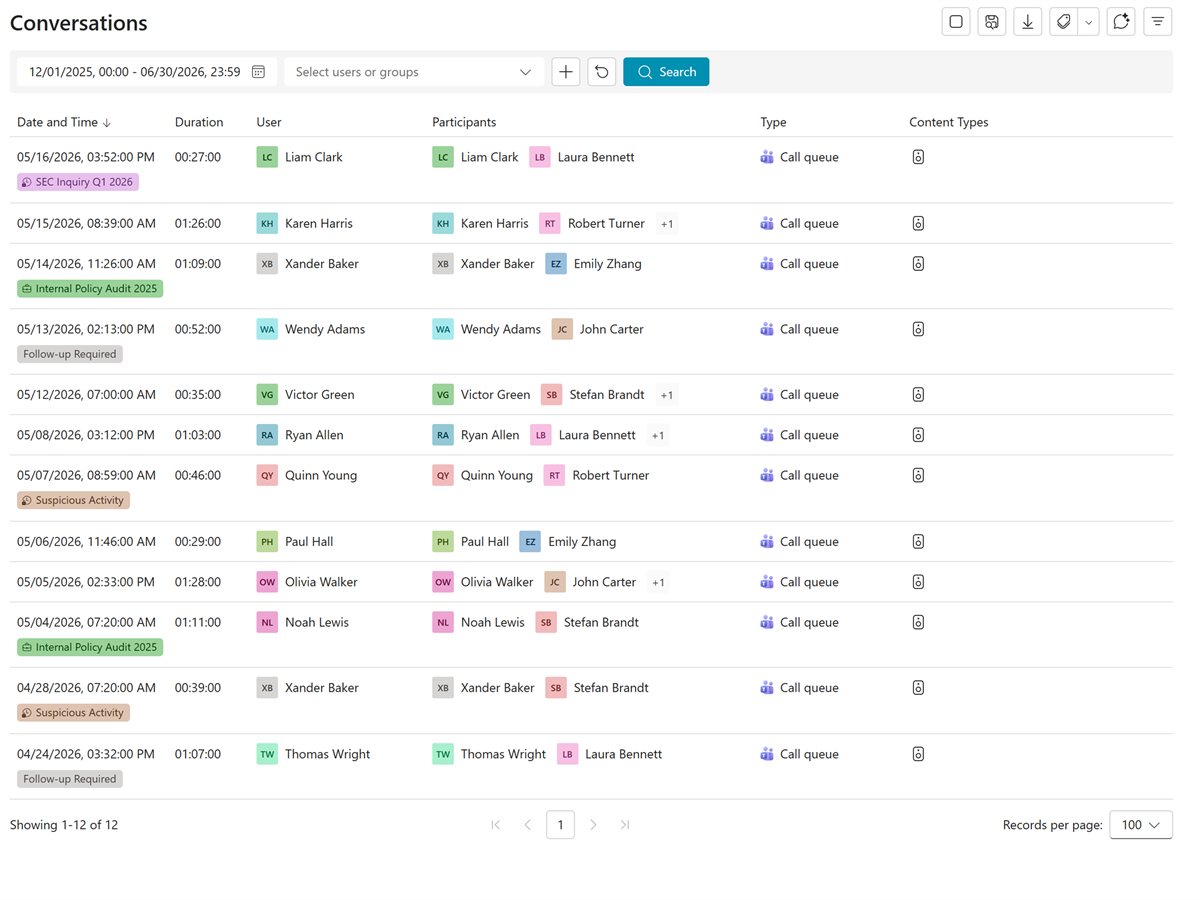
Open a call where the subject comes up, read the speaker-labeled transcript and click any line to hear it. An AI summary of each call helps you skip the parts the request doesn't cover.
Gather the calls into a case under the request's reference, then export each one: its recording, transcript and details, file by file or as a ZIP. If the decision is ever challenged, the audit log shows who played or viewed each call.
Once the request is closed, each call is deleted automatically when its retention schedule says, so you keep personal data no longer than you need it.
What your data protection officer and IT security will ask first.
Records are processed and stored on Microsoft Azure in the European Union, with more regions to follow.
Strict data segregation: each customer has its own database and storage, never shared with another customer, and recordings are encrypted with its own key.
Recordings and transcripts are encrypted in transit and at rest.
Entra ID, MFA and Conditional Access protect every login.
The audit log shows who played, viewed or changed each call.
Argus AI reads what was said, never emotions or voices.
Recording rules, privacy and the calls residents make.
Compliance & Governance
How GDPR applies to call recording: lawful basis, retention, consent, compliance vs convenience recording, and AI obligations

Compliance & Governance
Learn how GDPR affects telephone call recording in EU countries — lawful bases, retention rules, individual rights, and how Argus Archive helps ensure compliance.

Product & Platform
Learn how Microsoft Teams call queue compliance recording simplifies governance, improves oversight, and aligns recording with business workflows.
Microsoft Teams phone calls, calls to call queues, internal calls and meetings, for the people you choose. Video and screen share are an add-on.
Yes. Search by meaning, person, date or tag, or ask Argus AI, then jump to the moment that matters and export what the request covers.
Yes. You set how long each kind of call is kept, from one day to 10 years. It is deleted automatically when its time ends.
There are no servers to install. Your IT admin signs in with their Microsoft work account, and Argus guides them through turning on Microsoft Teams compliance recording.
Argus Archive is priced per user, per month, with usage included, and you're warned before you go over.
Built by the people who created market-leading compliance recording and archiving products. Talk to us to see recording, search and Argus AI for your organization.


